Helios Rust Console Bot Documentation
Tip4Serv Game Commands
Deliver normal Rust Console commands through Tip4Serv: kits, items, VIP, bag claims, quantities, renewals and refunds.
- Last reviewed
- Maintained by
- Helios RCE
First connect your store and link a server. Then edit a Tip4Serv product, add the linked Helios Bot server under Server & Discord cmds, and enter normal game-console commands. Direct delivery is available on Free and Premium Helios servers.
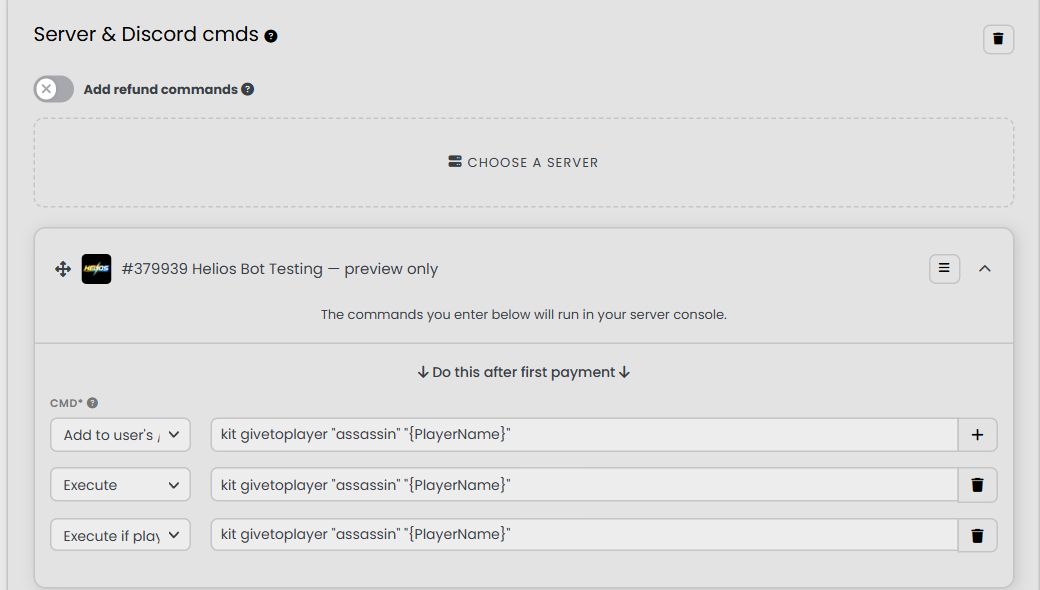
Choose the delivery mode
| Mode | What happens | Suitable for |
|---|---|---|
| Execute | Sends the command without waiting for the buyer to be online | Commands that support offline targets, such as access changes |
| Execute if player is online | Waits until the linked player is online, then sends the command on a Tip4Serv retry | Giving kits or items directly in game |
| Add to user's /bag | Adds one command reward to the buyer's Helios bag for later redemption | A kit or item claim the buyer can redeem when ready |
| Off | The row is disabled | A reward you are not ready to sell |
For normal game commands, every mode needs a linked game name. Execute does not make an online-only game command work while a player is offline. Prefer the online check for immediate kit/item grants.
Copy-ready examples
Replace the sample kit or item with one supported by your game server. Keep each command on its own row. These are console commands, not Discord slash commands.
One kit
kit givetoplayer "starter" "{PlayerName}"
Choose Execute if player is online, or Add to user's /bag for a later claim.
A stack of items
inventory.giveto "{PlayerName}" "metal.fragments" "1000"
Choose Execute if player is online or a bag claim. This gives 1,000 metal fragments when the command executes.
In-game VIP
Grant with Execute:
vipid "{PlayerName}"
Remove with Execute in the appropriate expiration/refund section:
removevip "{PlayerName}"
The removal command must be configured explicitly. A kit, coins, XP or already redeemed bag item is not automatically taken back by a refund.
Placeholders and quantity
| Placeholder | Meaning |
|---|---|
"{PlayerName}" | The buyer's linked game name in this Discord server; always surround it with double quotes |
{discord_id} | The buyer's Discord ID |
{quantity} | The product quantity supplied with the purchase |
{quantity*1000} | Product quantity multiplied by 1,000 |
Use the exact capitalization shown. Replace example labels such as starter yourself. Do not leave other template fields such as {KitName} or {ServerKey} in a game command. Other Tip4Serv markers must already be resolved before Helios receives the command.
Choose one quantity strategy:
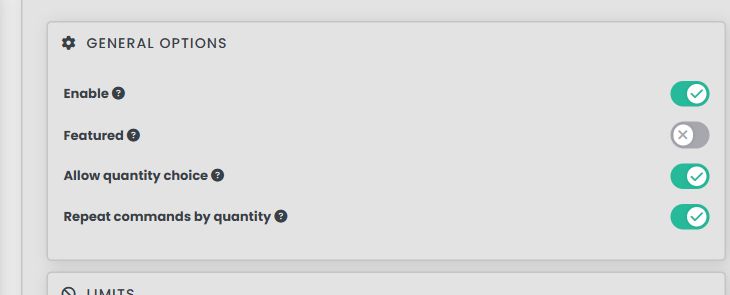
- Repeat a fixed command: turn Repeat commands by quantity on and use a fixed one-unit reward. One kit command repeated three times gives three kits.
- One bulk command: turn repetition off and use
inventory.giveto "{PlayerName}" "metal.fragments" "{quantity*1000}". A quantity of three gives 3,000 fragments once.
Combining repetition and a quantity multiplier can multiply the reward twice. Helios runs each command Tip4Serv supplies once; it does not add a second repeat loop.
Renewals, expiration and refunds
Configure the relevant commands in Tip4Serv's product editor: payment, renewal, subscription expiration and Add refund commands, as appropriate for the product. Tip4Serv decides when those commands are due and sends them to Helios using the same delivery route.
For a VIP subscription, put vipid "{PlayerName}" in the grant section and removevip "{PlayerName}" in expiration, with a refund removal only if that is your store policy. Use Execute for an offline-capable removal so it does not wait for a player to return.
An event without commands does not grant or remove anything. Existing receipts protect completed commands from duplicate execution on provider retries. Check per-command status before using a manual resend; a new provider request can represent a new delivery.
Using Helios parses as well
The same Helios Bot command editor accepts every supported Helios parse. Choose Execute and paste, for example:
{discord_id} [COINS] [1000] [WALLET]
No Discord reward channel is needed. KIT, ITEM, KEY and CHEST parses create their own bag rewards; use the normal Add to user's /bag mode only for raw game commands. See Selling & Parses for every format and the optional older Discord route.
For delivery troubleshooting and your first test, return to Store Setup.