Helios Rust Console Bot Documentation
Rust Console Bot Setup Guide & Command Reference
Official Helios docs for Rust Console Edition servers: connect over WebRCON in four steps, then set up killfeeds, raid alerts, zones, economy and automation.
- Last reviewed
- Maintained by
- Helios RCE
Helios is a Discord bot and web dashboard for Rust Console Edition servers on PlayStation and Xbox. It connects to your server over WebRCON — no server files to edit, no plugins to install — and gives you killfeeds, raid alerts, teleports, zones, offline raid protection, autokits, an economy, a shop, battle pass progression, clans, tickets and scheduled automation from one place.
New here? The first-run path below gets a server connected and live in about fifteen minutes. Everything is free to start; a few systems need premium and each page says so where that applies.
Set Up Helios in Four Steps
| Step | Guide | What you do |
|---|---|---|
| 1 | Start Here: Connect Your Server | Add your server to Helios over WebRCON |
| 2 | Launch Checklist | Work through the pre-launch checks |
| 3 | Discord Roles & Channels | Set staff permissions and feed channels |
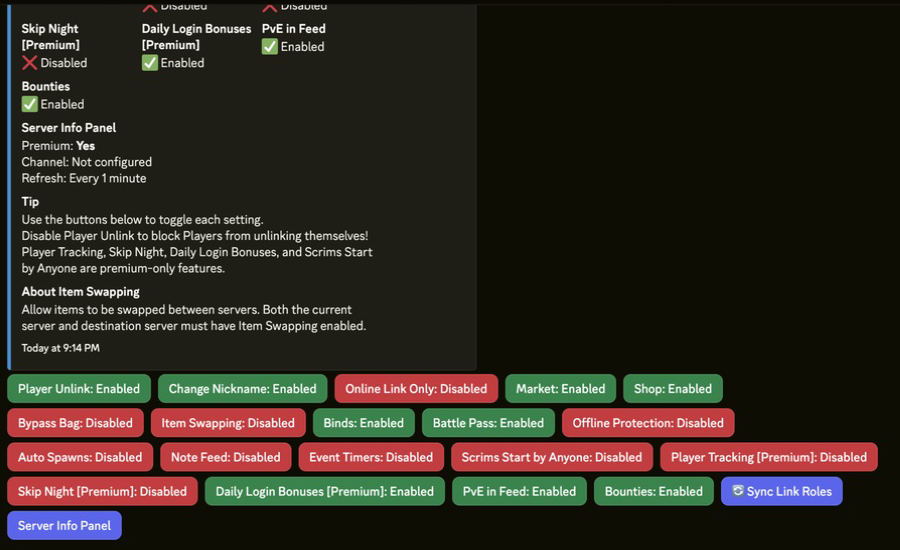
| 4 | Server Settings | Turn on the features you want |
Stuck at step 1? Most connection problems are covered in Why WebRCON is not connecting, or pick your host below.
Quick Setup Video
Most-Read Setup Pages
Straight to a specific feature:
| Guide | What it does | Command |
|---|---|---|
| Killfeed | Post kills to Discord and in game | /killfeed |
| Raid Alerts | Ping a player when their base is hit | /raid link |
| Offline Raid Protection | Protect bases while owners are offline | /orp settings |
| Zones | Safe zones, PvP arenas, no-build areas | /zone |
| TP & Home | Teleports and home points | /tp home |
| Autokits | Kits players claim on a timer | /bind |
| Economy | Currency, balances and rewards | /economy |
| Shop & Market | In-game shop and player market | /market |
Feature Hubs
Pick the system you want to launch and head to its hub.
| Feature Hub | What's Inside |
|---|---|
| Killfeed & Alerts | Kill notifications, raid alerts |
| TP/Home & Zones | Teleport, home points, zone management |
| Shop & Economy | Currency, shop, market setup |
| Battle Pass & Progression | Seasons, XP, rewards |
| Automation & Operations | Scheduled tasks, server automation |
| Ticket Panel | Discord support tickets, categories, mod roles, transcripts |
Host Setup
Need help connecting Helios to your specific host provider?
Command Reference
More Feature Guides
Deep-dive setup pages for each major system.
Autokits
Support & Troubleshooting
Stuck? Start with Troubleshooting, then check the FAQ or browse the Guides Library.
Common Questions
Do I need to install anything on my server? No. Helios connects over WebRCON, so there are no files to edit and no plugins to install. See Connect Your Server.
Does this work on PlayStation and Xbox? Yes, both. Helios is for Rust Console Edition only — it does not support Rust on PC.
Is it free? Free to start, and most of the documented setup here works on the free tier. Pages state where a feature needs premium.
Which hosts are supported? Any host that exposes WebRCON. G-Portal and Nitrado have their own step-by-step guides in Host Setup.
How many servers can one Discord run?
Multiple. Commands that act on a server take a server: option with
autocomplete, so you pick which one each time.
Where do I get help from a person? The Helios Discord — the same place development and support run from.
Advanced & Reference Docs
These pages are live for direct links, SEO, and edge-case lookups.
Browse all Helios documentation
Open a topic to find every setup guide and command reference in that section.
Autokits Category3 guides
Binds Commands And Automation9 guides
Commands15 guides
- Admin Commands
- Bounties
- Economy Shop and Progression Commands
- Feed and Alert Routing Commands
- High Impact Owner Actions
- Moderator Commands
- Ops Utility
- Owner/Admin Commands
- Player Commands
- Rust Console Player Commands and Support Notes
- Rust Console Player Economy Commands
- Rust Console TP Home Command Panel
- Setup Foundation Commands
- Staff Support Commands
- World and Automation Commands
Economy Shop And Rewards Admin13 guides
- /category add, edit, remove
- /chest add, edit, remove, list
- /product add, edit, remove, list
- /product Commands
- /set inventory-limit — Bag Capacity
- /treasure add, edit, remove, list
- Economy Settings
- Giving Coins, XP, Kits and Bag Rewards
- Personal XP Boost Products
- Sell a Command Group in the Shop
- Set Player Balances
- Set the Currency Name
- Taking Currency and Battle Pass XP
Events Raids And Combat Systems11 guides
Giveaways2 guides
Guides19 guides
- Autokit Setup Examples for Different Server Styles
- Common Rust Console Bot Setup Mistakes
- G-Portal vs Nitrado: Setting Up a Rust Console Bot on Each
- Helios Setup Guide for New Rust Console Owners
- How Do I Add a Killfeed to a Rust Console Server?
- How Does Offline Raid Protection Work on Rust Console?
- How to Build a Rust Console Server Economy Without Inflation
- How to Create and Use Zones in Rust Console
- How to Set Up a Rust Console Killfeed Bot
- How to Set Up Autokits in Helios
- How to Set Up TP Home Without Enabling Teleport Abuse
- How TP/Home Works for Rust Console Server Owners
- Kits vs Autokits on Rust Console: What Is the Difference?
- Rust Console Killfeed Troubleshooting
- Rust Console Server Wipe Day Checklist
- What Features Matter Most in a Rust Console Bot
- Which Systems Keep Rust Console Players Playing After Wipe Day?
- Why Is WebRCON Not Connecting on a Rust Console Server?
- Zone Setup Examples for Events, Safe Areas, and Shops
Helios Store7 guides
Host Guides3 guides
Key Components5 guides
Killfeeds6 guides
Offline Protection11 guides
Overview Guides70 guides
- Account & Billing Settings
- Admin Tools & Automation
- AI & MCP: Premium Setup
- Autokits Hub
- Ban and Unban Boom
- Battle Pass and Progression Hub
- Battle Pass Challenges
- Battle Pass Setup
- Buying and Selling on the Player Market
- Buying from the In-Game Shop
- Casino Games
- Clans
- Combat Lock
- Command List
- Cooldown Manager
- Custom Auth Roles
- Daily Coins and Begging
- Daily Login Rewards
- Discord Live Alerts
- Discord Roles & Channels
- Discord Tools
- Dynamic Shop Pricing
- Economy Settings
- Economy, Shop & Rewards
- Find Settings on the Dashboard
- Heat Map
- Helios Launch Checklist
- Helios Setup Guide for Rust Console Edition
- Helios Store
- Host Setup Hub
- Inspecting and Removing Player Bag Items
- Key Components Hub
- Killfeeds & Alerts
- Kit Manager
- Player Actions
- Player Tools
- Portals
- Premium Credit
- Prison
- PvP Games & Scrims
- Random Items and Kits
- Restoring Stats After a Gamertag Change
- Rust Console Admin Alerts Setup Guide
- Rust Console Auto Kits and Bind Controls
- Rust Console Autokit Setup Guide
- Rust Console Economy and Rewards Setup Guide
- Rust Console Feature Setup Index
- Rust Console Guides Hub
- Rust Console Helios FAQ for Server Owners
- Rust Console Helios Troubleshooting
- Rust Console Killfeed Setup (Discord and In-Game)
- Rust Console Offline Raid Protection (ORP) Setup
- Rust Console Raid Alerts: RaidLink Setup
- Rust Console Server Automation and Events
- Rust Console Server Connection Guide (WebRCON)
- Rust Console Shop and Market Setup Guide
- Rust Console TP Home Setup Guide
- Rust Console Zones: Safe Zones & PvP Arenas
- Skip Night
- Staff Permissions
- Staff Permissions & Roles
- Support Tickets
- Teleports, Zones & ORP
- Tip4Serv Integration
- TP To Friend
- Treasure & Keys
- Viewing Player Stats
- Wipe Center
- Your Bag and Items
- Your Wallet, Safe Pocket and Player Payments