Helios Rust Console Bot Documentation
Heat Map
Upload your server map, align its world grid, and publish a Discord activity map.
- Last reviewed
- Maintained by
- Helios RCE
The Heat Map shows where recorded activity is concentrated on your server. Open Dashboard → Heat Map to set it up.
1. Upload your map
Choose a clear, north-up image of your current server map. PNG, JPG, and WebP are supported, up to 20 MB. Include the complete world grid.
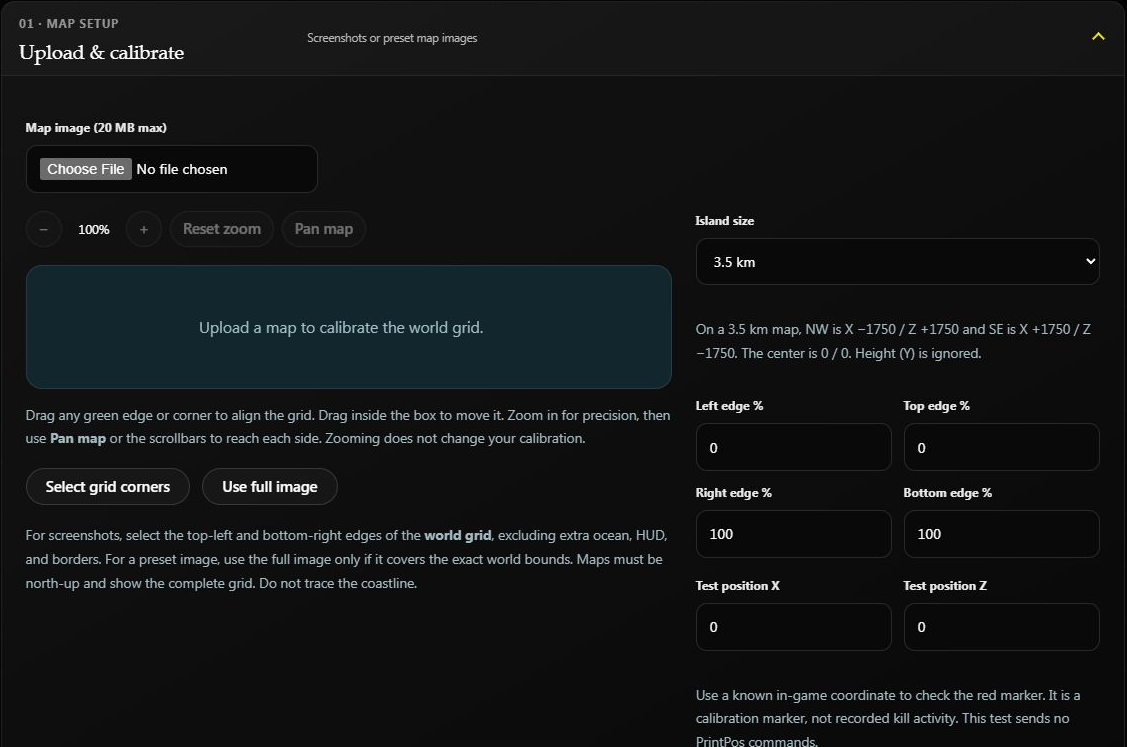
This shows the initial setup. Upload your current map before calibrating.
2. Align the world grid
- Choose the correct island size.
- Use the image controls to zoom and pan.
- Select the northwest and southeast corners of the world grid.
- Keep the green bounds aligned to that grid, excluding extra borders and HUD.
- Enter a known X / Z position in the test controls and check its marker.
- Confirm the world bounds checkbox when the alignment is correct.
Use Use full image only if the image already matches the complete world bounds. Align to the world grid, not the coastline.
Example: A 3.5 km world spans X −1750 to +1750 and Z −1750 to +1750. The northwest corner is X −1750, Z +1750; the southeast corner is X +1750, Z −1750. The test marker checks alignment; it does not add a kill or move a player.
3. Publish it
Choose the Discord channel, select an activity window of 1 hour, 6 hours, or 24 hours, enable the feature, and click Save Heat Map.
Optional: show locked crates
Turn on Show Locked Crates after the map has been saved if you want crate locations shown on the map too. Nearby crates are grouped into one marker: +2 means that marker represents two more crates nearby. This does not change the activity view; it simply adds the crate overlay.
When you change this option on an enabled map, Helios refreshes the map shortly. If the option is unavailable, save the map once first.
Helios updates one Discord message roughly every five minutes. A new map can look quiet until the server records activity within the selected window.
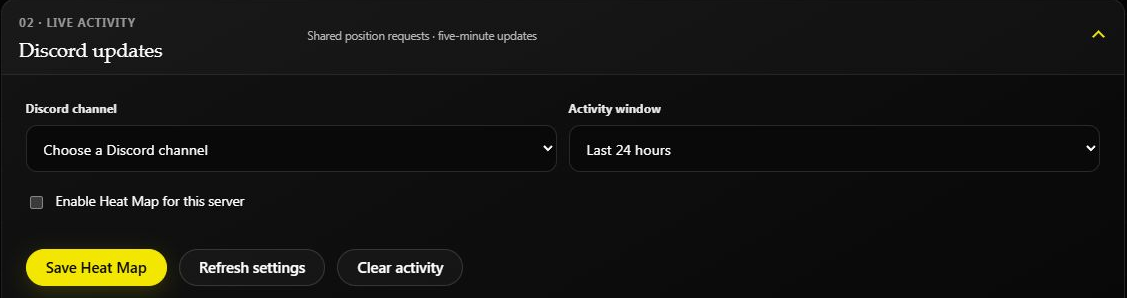
After a wipe
Replace the map and recheck the island size and alignment. Changing the image, size, or bounds starts a new activity map. Clear activity removes the recorded activity used by the heat map.
If something looks wrong
| Problem | Check |
|---|---|
| Markers appear off the island | Island size and world-grid corners; test a known X / Z position. |
| Discord output is missing | Feature enabled, correct channel, and Helios can send messages and attach files. |
| The map is quiet | Server connection, recent activity, and the selected time window. |
| Map shows last wipe's terrain | Upload the current map and recalibrate. |