Helios Rust Console Bot Documentation
Helios Launch Checklist
A short, practical setup path for Rust Console Edition server owners preparing Helios for launch.
- Last updated
- Maintained by
- Helios RCE
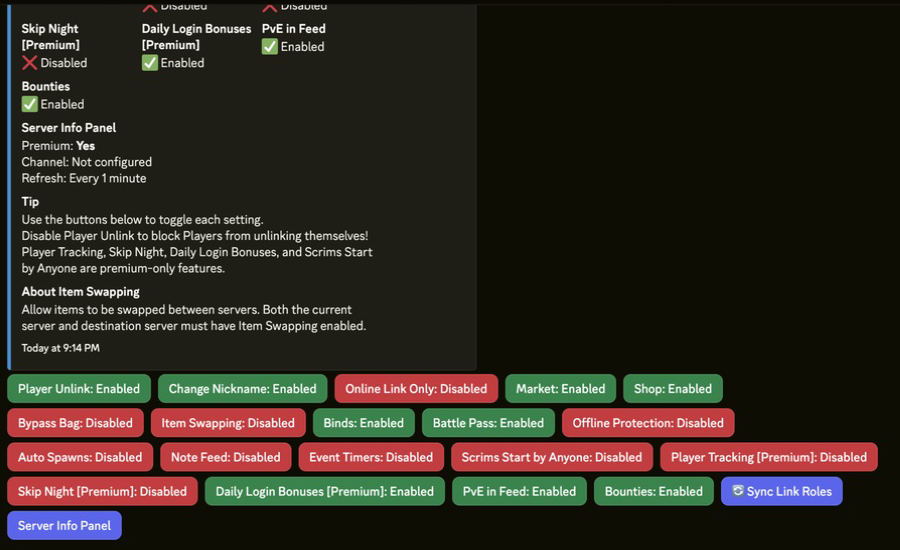
Use this checklist to finish the basic setup in order. You can launch with the essentials first, then come back for advanced features such as automation, ORP, and custom rewards.
- Invite Helios to your Discord.
- Create or confirm admin-only channels.
- Set Discord staff roles and permissions.
- Find the WebRCON/RCON details from your host.
- Add your Rust Console server to Helios.
- Test the connection with a simple command such as
fps. - Open Server Settings and confirm the active server.
- Configure economy settings.
- Set up killfeed and player feed channels.
- Set up raid alerts.
- Set up shops, kits, rewards, or battle pass as needed.
- Test player linking.
- Review troubleshooting before launch.
- Launch the server.
Once these steps work, return to the Core Feature Hubs to add advanced systems at your own pace.