Helios Rust Console Bot Documentation
PvP Games & Scrims
Configure arena games and team scrims with kits, spawn points, timers, and prizes.
- Last reviewed
- Maintained by
- Helios RCE
Open Dashboard → PvP Games on the game server that will host the match.
Arena games
- Open Arena Games → Create Arena Game.
- Give it a clear name and choose Gun Game, the currently available arena game type.
- Choose its Sign Up / Leave Bind. Players use this one quick-chat direction to join and to request leaving later. One direction can belong to only one arena game on that server.
- Set the maximum players. Enter 0 for no player limit.
- Set the time between rounds in seconds and, if wanted, add a kit, item, or coin prize.
- Use the three player-flow options to choose whether players are killed before teleporting, sent home after the game, or killed when leaving.
- Stand in each arena position and use Add Spawn Point. At least one spawn is required; you can save up to 15.
- Click Save.
Use an online player whose game account is linked with /link to capture positions. If the position cannot be read, stand still in-game and try again. Verify the game area and spawn points before inviting players.
Set up Scrims
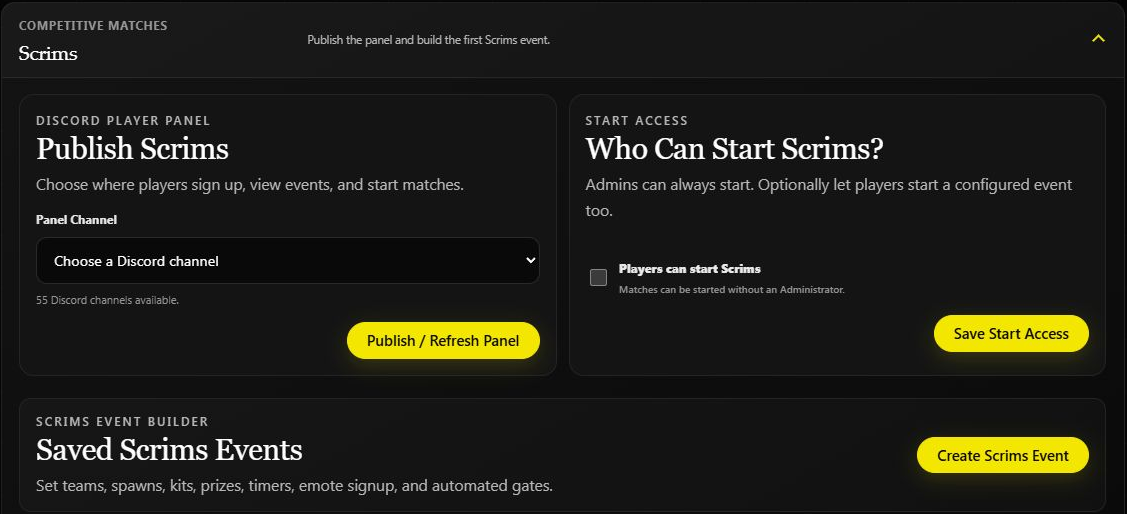
- Under Scrims, click Create Scrims Event.
- Set the team count, players per team, and Best of.
- Choose the match kit, optional prize, and timers.
- Add the team spawn points. If using automated gates, configure and check those too.
- Save the event.
- Choose a Panel Channel and click Publish / Refresh Panel.
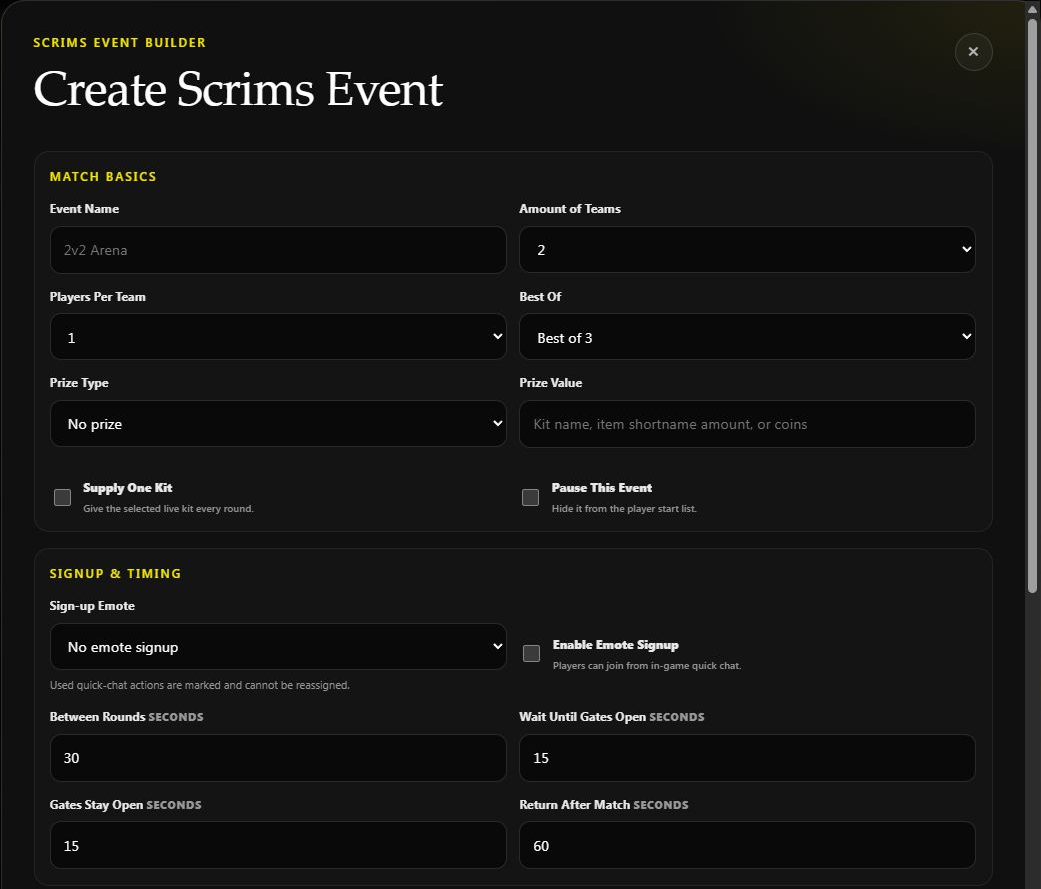
This is a new-event draft. Replace the defaults and finish the spawn setup before saving your own match.
Example: Create a 2v2 event with two teams, two players per team, and Best of 3. Start with no prize while checking the kit and both teams' spawn positions.
Let players start matches
Admins can always start a configured Scrim. To allow players too, enable Players can start Scrims and click Save Start Access.
Players use the published Discord panel to view and join events. Enable emote signup in an event if you also want its in-game signup option.
Before announcing an event
Check the actual kit, spawn points, player limits, and timer units with a small test match. Keep the event paused while its arena is unfinished. For portal-based Deathmatch or Aim Train, use the separate Portals guide.