Helios Rust Console Bot Documentation
/kit Commands
Inspect kit pictures, find Helios uses, export kit commands, and copy kits safely.
- Last reviewed
- Maintained by
- Helios RCE
Inspect, export, and copy game-server kits. All commands below require Manage Server in Discord.
Prefer visual controls? See Kit Manager for live-kit loading, browser downloads, and copying without replacing existing kit names.
| Command | Premium requirement | What it does |
|---|---|---|
/kit view | Selected game server | Creates a picture of a live kit |
/kit info | Discord community Premium access | Shows where Helios uses a kit name |
/kit grab | Free | Exports kit-add commands to a text file |
/kit copy | Free | Copies live kits between two game servers |
View a kit
/kit view server:"<SERVER>" kit_name:"pvp"
Choose the server and kit from the suggestions. Helios reads the live kit and creates an inventory picture. It does not give the kit to a player or change its contents.
The optional new_name changes the name on the picture only. It does not rename the live kit.
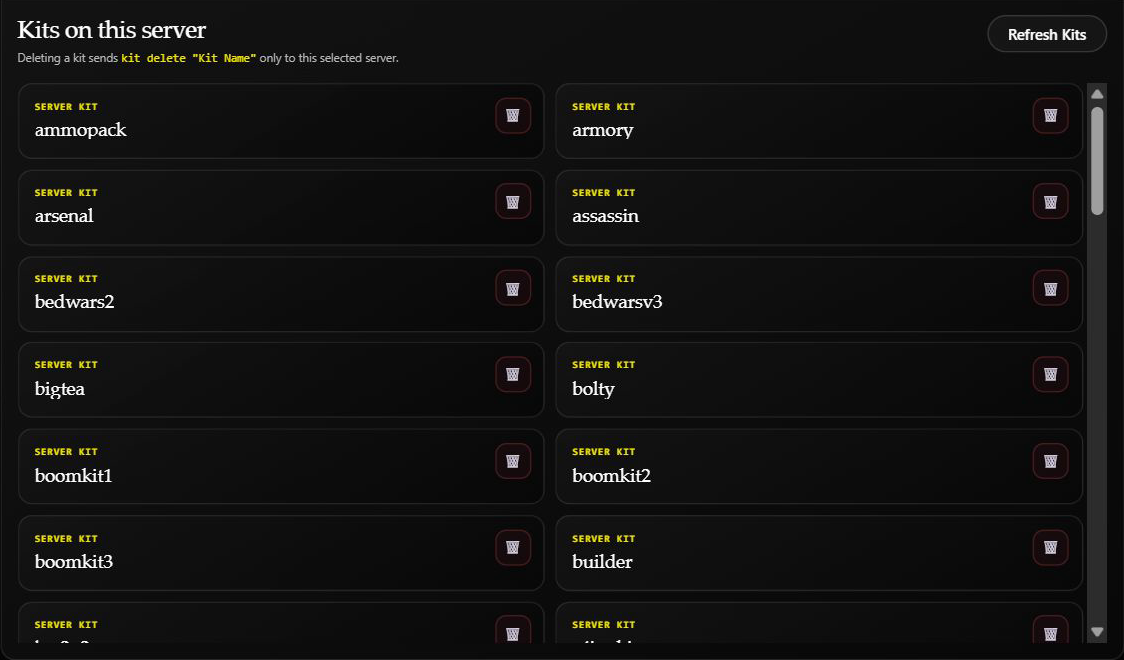
The dashboard's existing kit list is another way to check kit names. No kit was deleted for this screenshot.
Find where Helios uses a kit
/kit info kit_name:"pvp"
This checks Helios settings across the Discord community, rather than just one selected game server. Review the listed systems before deleting or replacing a kit.
No bot systems found using this kit does not prove the kit is unused in the game or by other tools. Check your own server setup too. This command is a usage lookup, not a picture of the kit contents.
The dashboard equivalent is Kit Manager → Kit Usage, Export & Copy → Find Kit Usage.
Export kit commands
/kit grab server:"<SERVER>"
To export only one kit:
/kit grab server:"<SERVER>" kit_name:"pvp"
- Choose a server. With several connected servers, specify which one you want.
- Review the prompt, then choose Yes to export or No to cancel.
- Wait for the finished result and download the
.txtattachment. - Check any skipped-kit warnings before treating it as a backup.
The export reads kits; it does not delete, install, redeem, or give them. Kits that cannot be read or have no readable items can be skipped. If nothing can be exported, there may be no attachment.
The file is posted to the Discord channel where you ran the command, even if the initial response is private. Use a suitable staff channel for kit backups.
The text file contains commands to rebuild kit items. It is not a backup of Shop products, Emote Binds, reward rules, or the rest of your Helios setup. Running those commands later changes the target game server.
Copy kits to another server
/kit copy from:"<SOURCE SERVER>" to:"<DESTINATION SERVER>" replace_all:false
Choose two different servers. This copies the source server's kits, not just one named kit. Check From and To carefully.
With replace_all omitted or set to false, copying can begin without another confirmation if there are no duplicate names. When duplicate names are found, Helios offers:
- Skip Kit: leave that destination kit unchanged and continue.
- Skip All Duplicates: leave existing matching names unchanged and copy the others.
- Replace ALL Kits: delete all kits on the destination, then rebuild the source kits there.
Replace ALL Kits is not limited to the duplicate kit. Destination-only kits are deleted too. Setting replace_all:true starts this destructive replacement without a separate yes/no prompt. Export and review the destination first.
Only the person who started the copy can use its decision buttons. If the buttons expire, inspect the destination before starting again.
Check the destination afterward
A failed copy can leave some kits copied, incomplete, or already deleted. There is no automatic rollback.
Read the Copied, Skipped Duplicates, and Deleted On Target totals where shown, then inspect the destination's live kits. Do not assume a failure left it unchanged, and do not blindly rerun kit-add commands.
The dashboard's Copy Only Kits skips existing kit names and does not offer destructive replacement. It stops copying on an error; later kits are not attempted. See Kit Manager for that workflow.