Helios Rust Console Bot Documentation
How to Set Up a Rust Console Killfeed Bot
Practical walkthrough for setting up Rust Console killfeed routing in Helios with channel architecture, validation, and troubleshooting checkpoints.
- Last updated
- Maintained by
- Helios RCE
What This Covers
- Recommended channel structure for readable feed output.
- Killfeed setup steps from server connection validation (WebRCON) to live routing.
- Validation and troubleshooting checkpoints for stable output.
What You Need Before Starting
- A working server connection from Server Connection Guide (WebRCON).
- One public feed channel and one staff-only feed channel.
- Role boundaries from Permissions & Roles.
Recommended Channel Structure
#killfeed-publicfor player-safe kill updates.#player-activityfor joins, leaves, and flow signals.#staff-alertsfor high-noise or sensitive signals.
Setup Walkthrough
- Confirm server health with
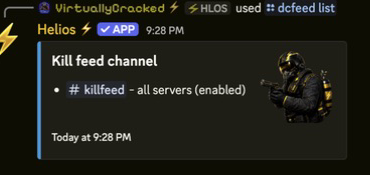
/server listand/cmd send command:"fps". - Configure killfeed channel mapping in Killfeed Overview.
- Configure Discord routing with Killfeed in Discord.
- Add in-game formatting only after Discord routing is stable in In-Game Killfeed.
- Run a live activity check with moderators present.
Validation Checklist
- Kill events appear in the intended channel.
- Join/leave events do not flood kill-only channels.
- Staff-only alerts stay out of public channels.
- Feed messages are readable during peak activity.
Common Troubleshooting Checkpoints
- No feed output: verify channel permissions and server connection status (WebRCON).
- Messages in wrong channel: re-check feed mapping and channel IDs.
- Too much noise: split event types into separate channels.
Related Guides
- Rust Console Killfeed Bot Page
- Rust Console Player Activity Feed
- Rust Console Killfeed Troubleshooting
- General Troubleshooting
Related Feature Pages
Next Steps
- Keep one feed channel map for public, player activity, and staff alerts.
- Validate feed routing under peak activity before announcing changes.
- Save a post-wipe feed checklist in your moderation runbook.