Your players find out they were raided when they log in and the loot room is empty. Raid alerts tell them while it is still happening — a ping in Discord, and a DM if they want one — so there is a chance to do something about it.
Set the alert channel once with /set raid-channel channel:#raid-alerts. Each player then runs /raid link server:"<SERVER>" to claim a personal 4-digit code and sets an RF Broadcaster in their base to that frequency, powered through a trigger rather than left permanently on. Helios checks active broadcaster frequencies every 60 seconds and posts a RAID DETECTED ping — plus a DM, if the player turned DM alerts on. Both commands are free.
What you get
Raid alerts (RaidLink) — players run /raid link for a 4-digit broadcaster code, hook it to their base electrics, and get pinged in Discord and DMs when raided.
Alert channel routing — set where raid notifications land with /set raid-channel.
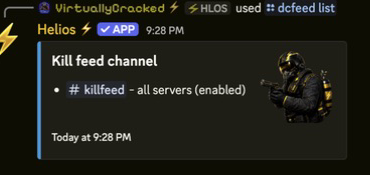
Server event feeds — manage event feed toggles and Discord output with /events server.
Staff admin feed — log staff actions to a private channel with /adminfeed (Premium).
Raid alert setup
What the owner does (once)
Create a dedicated alert channel, for example #raid-alerts.
Point Helios at it: /set raid-channel channel:#raid-alerts.
Post the player instructions somewhere they will read them.
Run one controlled test and confirm the ping lands.
Needs Manage Server in Discord. The channel is set per Discord server, not per Rust server — each alert names which server it came from.
What each player does
Run /raid link server:"<SERVER>" and note the 4-digit code.
Press DM Alerts if they also want a direct message. It is off by default.
Set an RF Broadcaster in their base to that frequency.
Power it through a trigger — an HBHF sensor, laser detector or pressure pad — not permanently.
Any member can run /raid link. No admin permission needed.
Do not leave the broadcaster permanently powered. Helios treats a live broadcaster on a claimed frequency as a raid, so constant power means constant false alerts.
Alert routing in Discord. One channel for raid pings, separate feeds for everything else.
How Helios knows a base is being raided
Every 60 seconds Helios asks each connected server for its active broadcaster frequencies.
It reads every frequency out of the reply.
Any frequency matching a claimed RaidLink code fires an alert.
The raid channel gets a RAID DETECTED ping naming the player and the server; the player gets a DM if they enabled them.
Two things follow from this. First, the alert is driven by the broadcaster receiving power — it fires because the player’s trigger fired, not because the base took damage. Second, expect up to a minute of delay: the poll runs on a one-minute cycle.
When alerts stop working
Problem
Likely cause
Fix
Nothing arrives, for anyone
The raid channel was never set, or Helios cannot post in it
Re-run /set raid-channel and check channel permissions
One player gets nothing
Frequency mismatch, or the broadcaster never gets power
Have them re-run /raid link to read their code, then re-check the frequency and the wiring
Constant false alerts
The broadcaster has permanent power
Rewire it behind a trigger
Alerts arrive late
Normal — polling runs every 60 seconds
Nothing to fix
Everything broke after a wipe
The in-game broadcaster went with the old base
Rebuild it on the same code; the Discord code survives the wipe
An owner sets one Discord channel with /set raid-channel. Each player claims a personal 4-digit code with /raid link and sets an RF Broadcaster in their base to that frequency, powered through a trigger. Helios checks active broadcaster frequencies every 60 seconds, and when a claimed code goes live it posts a RAID DETECTED ping and DMs the player if they enabled DM alerts.
Are raid alerts free?
Yes. /raid link and /set raid-channel are free. The staff action feed (/adminfeed) is premium.
How fast is a raid alert?
Up to 60 seconds. Helios polls each connected server once a minute, so an alert lands somewhere between immediately and a minute after the broadcaster fires.
Does every player need their own code?
Yes, and the alert mentions whoever owns it. A player holds one active RaidLink at a time — claiming a code on a different server replaces the previous one, so the broadcaster has to be rewired.
Do I need a separate raid channel per Rust server?
No. The raid channel is set once for the whole Discord and each alert names the server it came from.
Alerts stopped appearing — what do I check?
Re-run /set raid-channel, confirm the bot can post in the channel, and have the player re-run /raid link and re-check the broadcaster wiring.
Run admin alerts with clearer escalation and less noise.
Prioritize high-signal events, route staff alerts by severity, and revalidate after every wipe.