Helios Rust Console Bot Documentation
TP To Friend
Set up TP To Friend in Helios so players can request a teleport to an online teammate, with delay, cooldown, and role controls.
- Last reviewed
- Maintained by
- Helios RCE
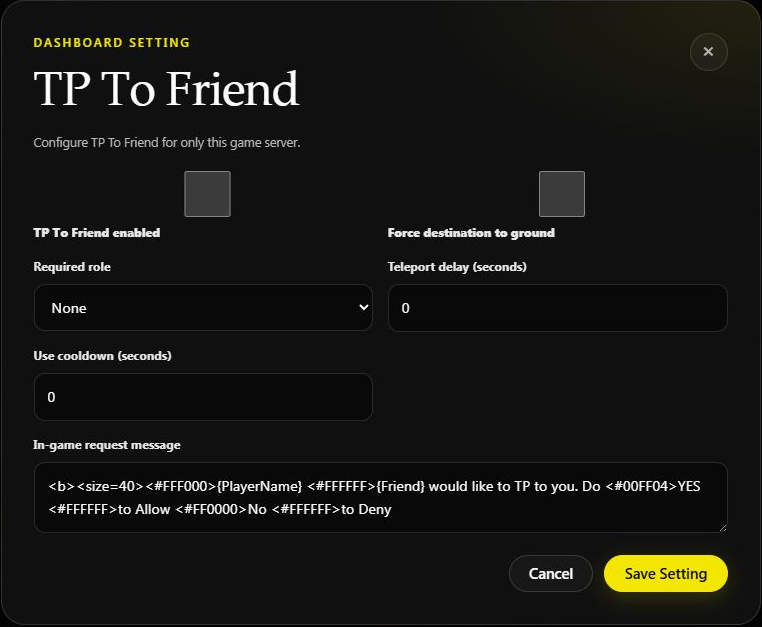
TP To Friend
Overview
Let players teleport to an online friend on your server. The player runs a Discord command, the friend accepts in-game with a Yes/No quick chat, and Helios teleports them after your configured delay. Premium only.
Configure it on the dashboard
Open Manage Server → Overview, scroll to Game server settings, find TP To Friend, and choose Configure.
- Choose whether friend teleporting is enabled.
- Set Delay and Cooldown, in seconds.
- Choose a Required Role if access should be limited.
- Enable Force destination to ground if the destination should be grounded.
- Optionally enable Kill Before TP (see below).
- Save, then test a request with two linked, online players.
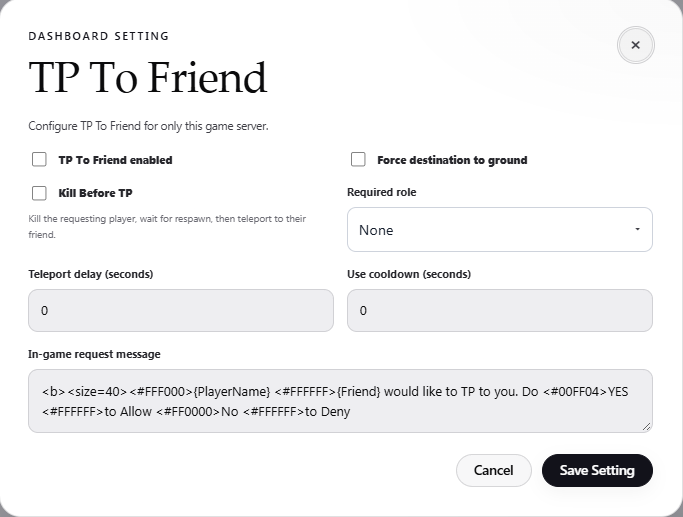
The TP To Friend dialog on Helios Bot Testing. It was closed without saving.
Kill Before TP
Kill Before TP is off by default. When it is on, an accepted request kills the requesting player once the delay ends, waits for them to respawn, and then teleports them to their friend.
- The destination is the spot where the friend was standing when they accepted, not where they are after the delay.
- Combat Lock is checked before the kill.
- If no respawn arrives within five minutes, the request does not complete.
- Only the requesting player is killed, never the friend.
- Loot follows your server's death rules, so test it before turning it on.
Example: a 10-second delay and 300-second cooldown means the accepted teleport waits 10 seconds, with a five-minute wait between requests.
If Combat Lock blocks friend teleports, a combat-locked player must wait for that lock to clear. The destination player still has to accept; having the required role does not skip consent.
Commands Covered
| Command | Who | What It Does |
|---|---|---|
/tp-to-friend server:<server> gamertag:<player> | Player | Request a teleport to an online friend |
/set tp-to-friend server:<server> | Admin | Open the TP To Friend settings panel |
How It Works
- A player runs
/tp-to-friendand picks the online friend they want to teleport to. - Helios asks that friend in-game to accept. The friend answers with the Yes/No quick chat.
- On accept, the player teleports after the Delay you set.
- The request stays open for 60 seconds (the prompt repeats every 10 seconds) before it expires.
Panel Settings
Open the panel with /set tp-to-friend server:<server>. The dashboard offers the same settings:
| Setting | What It Does |
|---|---|
| Status | Turn TP To Friend ON or OFF for the server |
| Required Role | Restrict the feature to players with a linked Discord role |
| Force On Ground | Require the player to be on the ground before teleporting |
| Kill Before TP | Kill the requesting player and wait for their respawn before teleporting (a toggle button in the Discord panel) |
| Delay | Seconds to wait before the teleport happens |
| Cooldown | Seconds a player must wait between requests |
Quick Discord setup
- Run
/set tp-to-friendand select the game server. - Turn the feature on, then choose the optional Discord role.
- Open Settings to set the delay and cooldown.
- Keep Force On Ground on if you only want teleports to start when the requesting player is standing safely on the ground.
- Test with two linked players who are online. The receiving player must still accept in Rust with the Yes/No quick chat.
Example
/set tp-to-friend server:"EU Main"
/tp-to-friend server:"EU Main" gamertag:BuddyGT
Notes
- Premium only. The setup panel requires Manage Server.
- The friend must be online and accept in-game for the teleport to happen.
- Use Cooldown to stop players spamming teleport requests.