Helios Rust Console Bot Documentation
Combat Lock
Stop protected actions after damage with a server-specific timer, feature toggles, and a clear player message.
- Last reviewed
- Tested on
- Helios Bot Testing dashboard
- Maintained by
- Helios RCE
Combat Lock temporarily blocks selected Helios actions after a player takes damage. Use it to prevent home teleports, kit requests, or other protected actions during a fight.
Set it up
- Open the dashboard, choose Manage Server, then Combat Lock.
- Expand Lock Timing and enter the duration in seconds.
- Expand Blocked Actions and check the features you want to block.
- Choose Save Changes and wait for All Changes Saved.
- If the status is Inactive, choose Turn On.
Example: a two-minute lock
Set Duration (Seconds) to 120 and leave all seven protections checked. A locked player must wait before using any of those actions. More detected damage refreshes the timer.
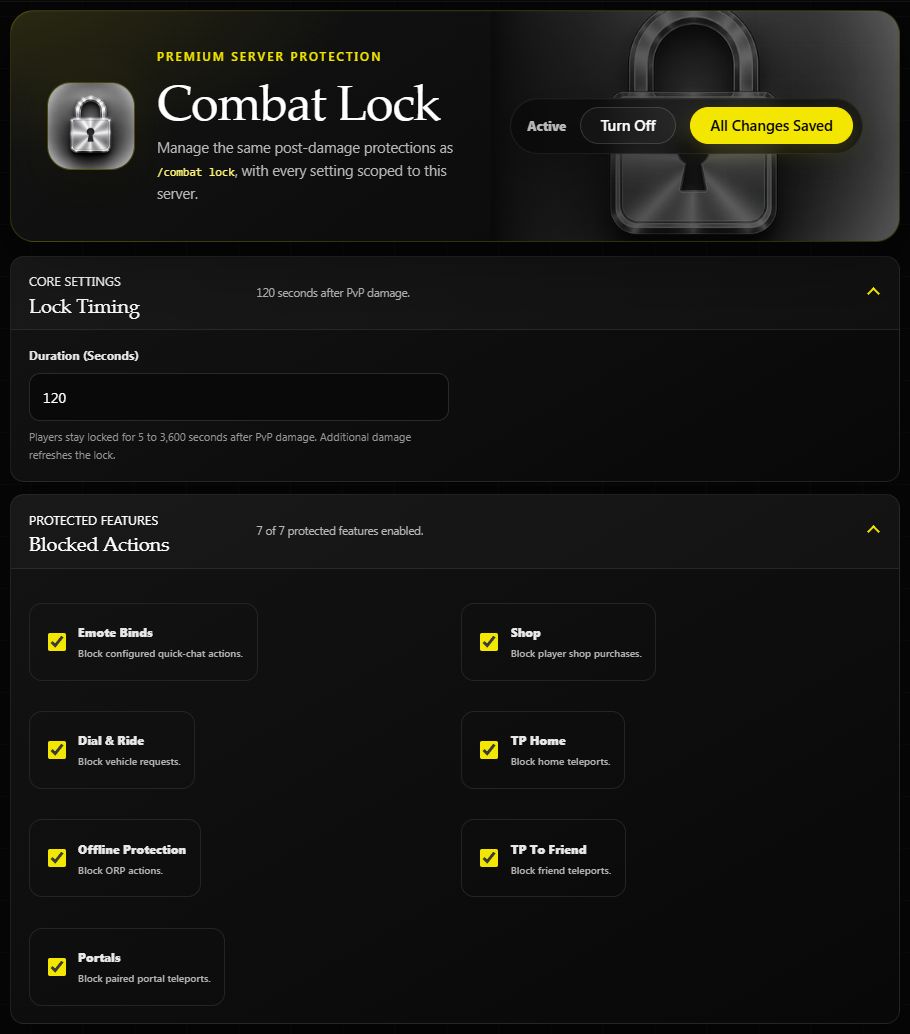
Saved settings on Helios Bot Testing. These controls affect only the selected game server.
| Protection | Action blocked while locked |
|---|---|
| Emote Binds | Configured quick-chat actions |
| Shop | Player shop purchases |
| Dial & Ride | Vehicle requests |
| TP Home | Home teleports |
| Offline Protection | ORP actions |
| TP To Friend | Friend teleports |
| Portals | Paired portal teleports |
Uncheck a feature to let players keep using it during the lock. The timer accepts whole numbers from 5 to 3,600 seconds.
Give players a clear message
Expand In-Game Message and try:
[COMBAT LOCK] {PlayerName}, wait {Cooldown} before using protected actions.
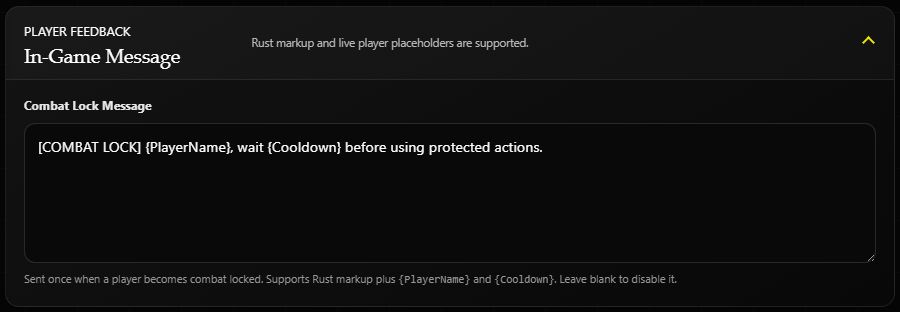
Draft message example. Choose Save Changes to apply your message.
For a player named Alex with a two-minute lock, this reads:
[COMBAT LOCK] Alex, wait 2m before using protected actions.
Helios sends the message when a new lock starts; it is not a repeating countdown. Rust text formatting is supported. Leave the message blank to disable the announcement.
Check a lock
Expand Active Combat Locks and choose Refresh Locks to see player names, reasons, and remaining time. An empty list means no active locks were returned.
Damage detection is not limited to PvP. The dashboard describes PvP damage, but Helios also detects drops in player health, so other damage can start a lock. A recorded PvP kill can lock the killer and clears the victim's lock.
Choose Turn Off to disable Combat Lock and clear its current locks on this server.
In Discord
/combat lock server:"<SERVER>"
This opens the same server's settings. You need Manage Server, Premium on the selected server, and a working Helios connection. If no locks appear during a test, check Active, the server connection, and the selected server before testing again.
Related: Emote Binds, TP Home, and Prison.