Helios Rust Console Bot Documentation
Economy Settings
Configure Rust Console economy rewards, game limits, cooldowns, and playtime rewards from the Economy module in the Helios dashboard.
- Last reviewed
- Maintained by
- Helios RCE
The Economy module in the Helios dashboard is where you tune what players earn and what they can risk — kill rewards, battle pass XP, daily and beg payouts, starting balances, per-game bet limits, and playtime rewards.
Premium server owners can use this dashboard editor. The /economy panel in Discord covers the same settings, but a free server can edit only the free-tier options listed below.
These settings apply across this Discord community. Opening them through one connected game server does not make its payouts or balances separate from the others.
Open the Economy module
- Go to the Helios dashboard and sign in with Discord.
- Find your server under Connected game servers and click Manage Server.
- In the Modules sidebar, choose Economy.
The Economy Manager is split into three sections: Rewards and balances, Limits and cooldowns, and Playtime Rewards.
Rewards and balances
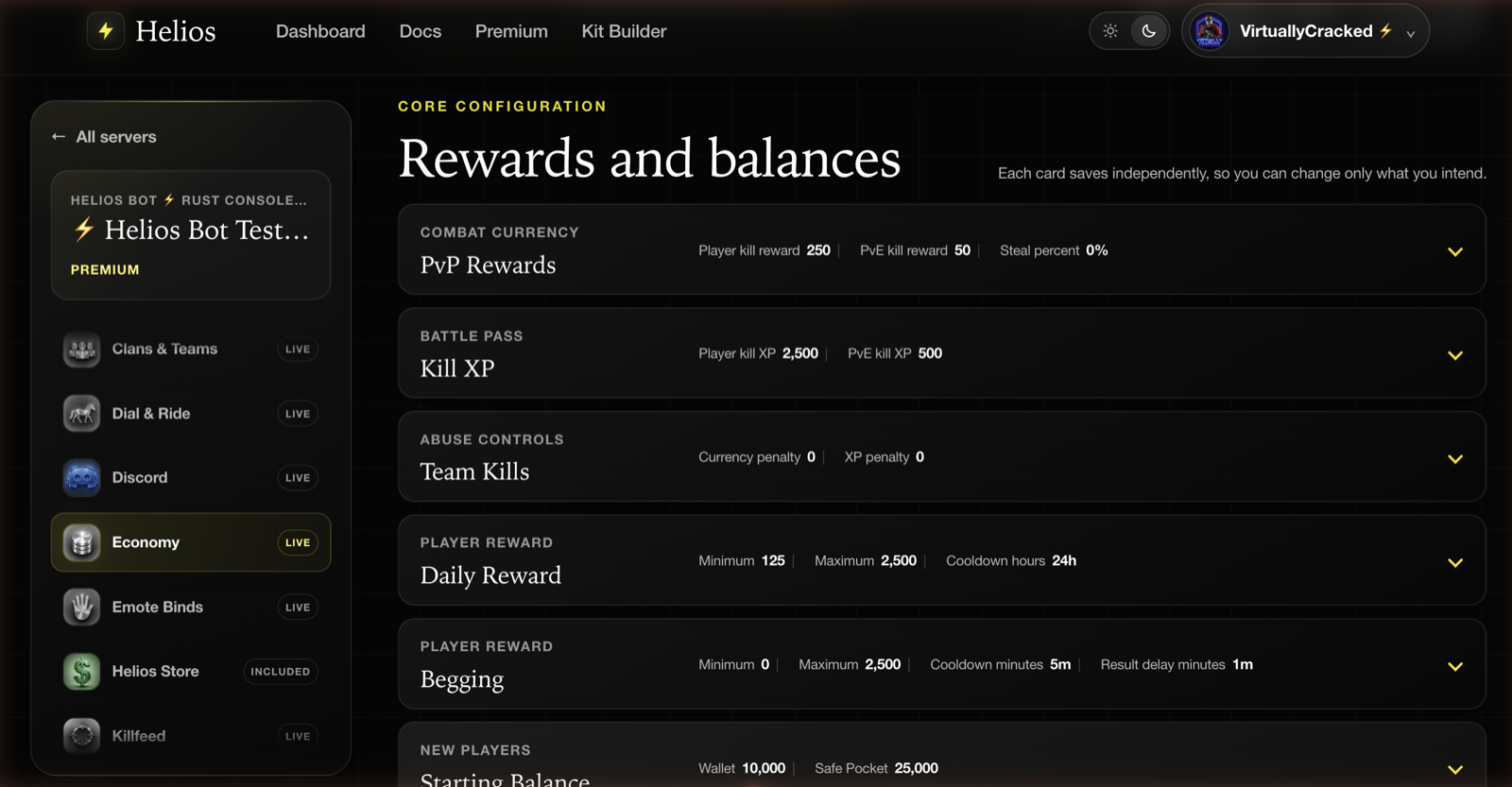
Each card shows its current values on the collapsed row, so you can audit the whole economy without opening anything:
| Card | What it controls |
|---|---|
| PvP Rewards | Currency for player kills and PvE kills, plus the percentage stolen from the victim's wallet |
| Kill XP | Battle pass XP for player kills and PvE kills |
| Team Kills | Currency and XP penalties applied for killing a teammate |
| Daily Reward | Minimum, maximum, and cooldown hours for the daily claim |
| Begging | Minimum, maximum, cooldown, and result delay for /beg |
| Starting Balance | Initial Wallet and Safe Pocket for new links without an existing economy account |
Click a card to expand it.
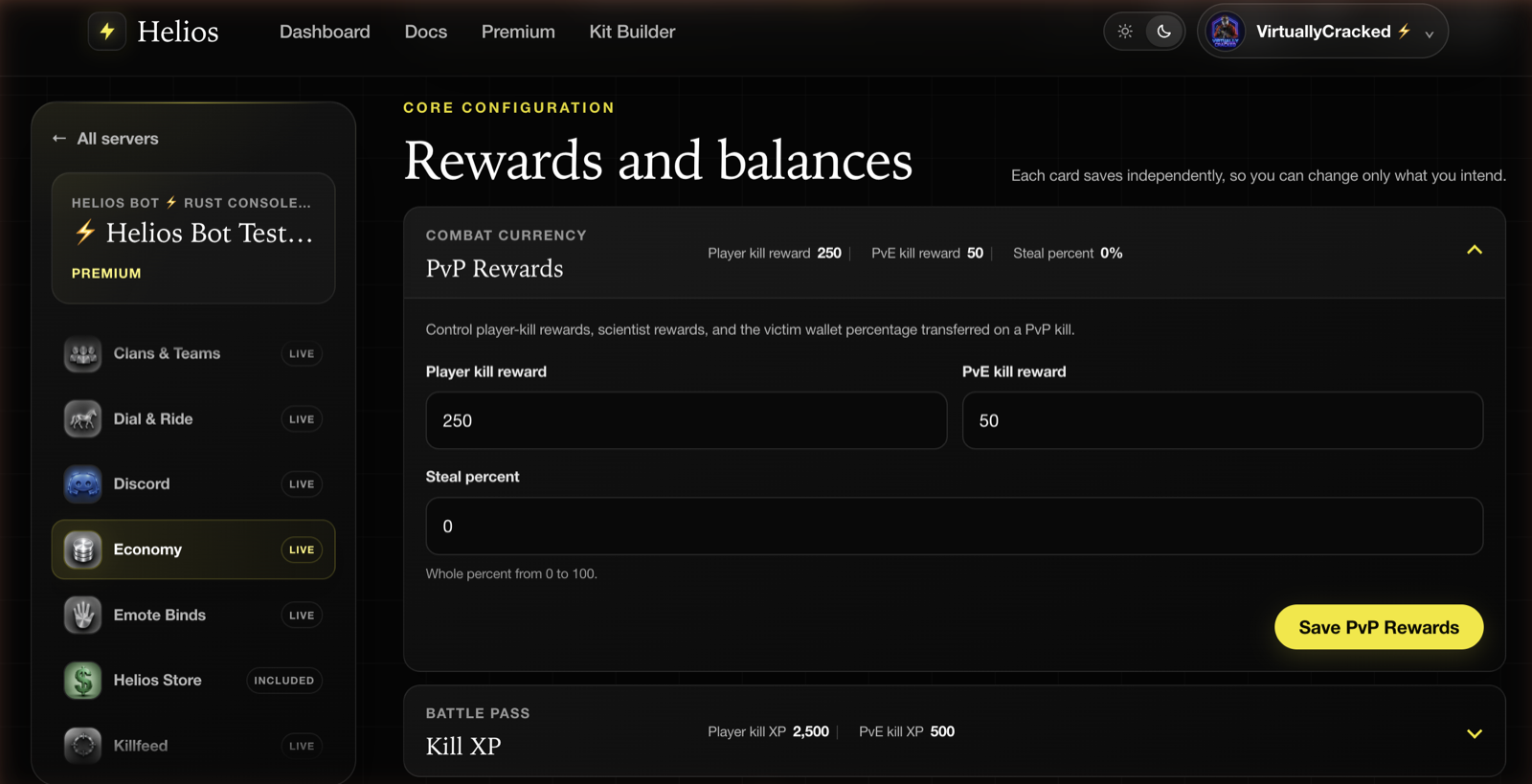
Each card saves on its own. Changing PvP rewards and hitting Save PvP Rewards does not touch anything else, so you can adjust one lever at a time and watch the result.
INFONote
Values must be non-negative whole numbers, and steal percent has to be between 0 and 100. The card rejects the save rather than storing something invalid.
Limits and cooldowns
Daily Coins and Begging timing
Daily Reward sets Daily Coins payouts and a cooldown in hours. Begging uses minutes for both its cooldown and result delay. These are separate timers; they do not reset when a player switches game servers.
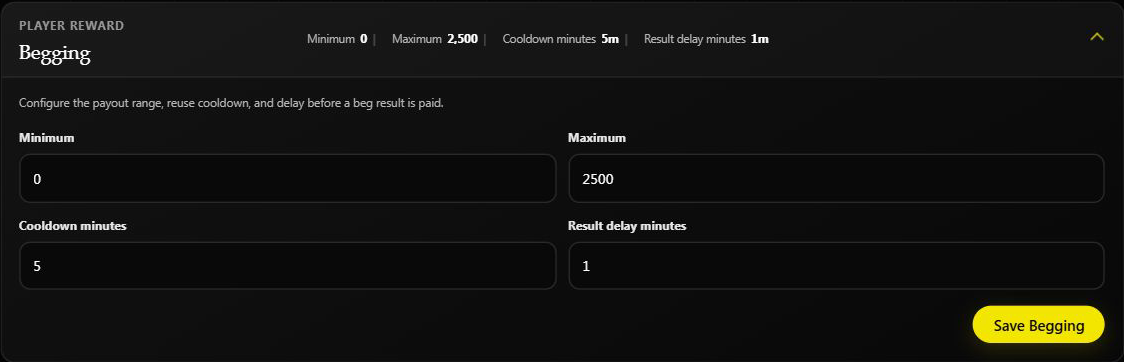
The beg result delay controls when the Discord result is revealed. The current bot records the Wallet payout and cooldown first, so a waiting message does not mean the money is still uncredited. A zero payout is possible when the minimum is zero and still starts the cooldown. See Daily Coins and Begging for player steps and troubleshooting.
Game limits
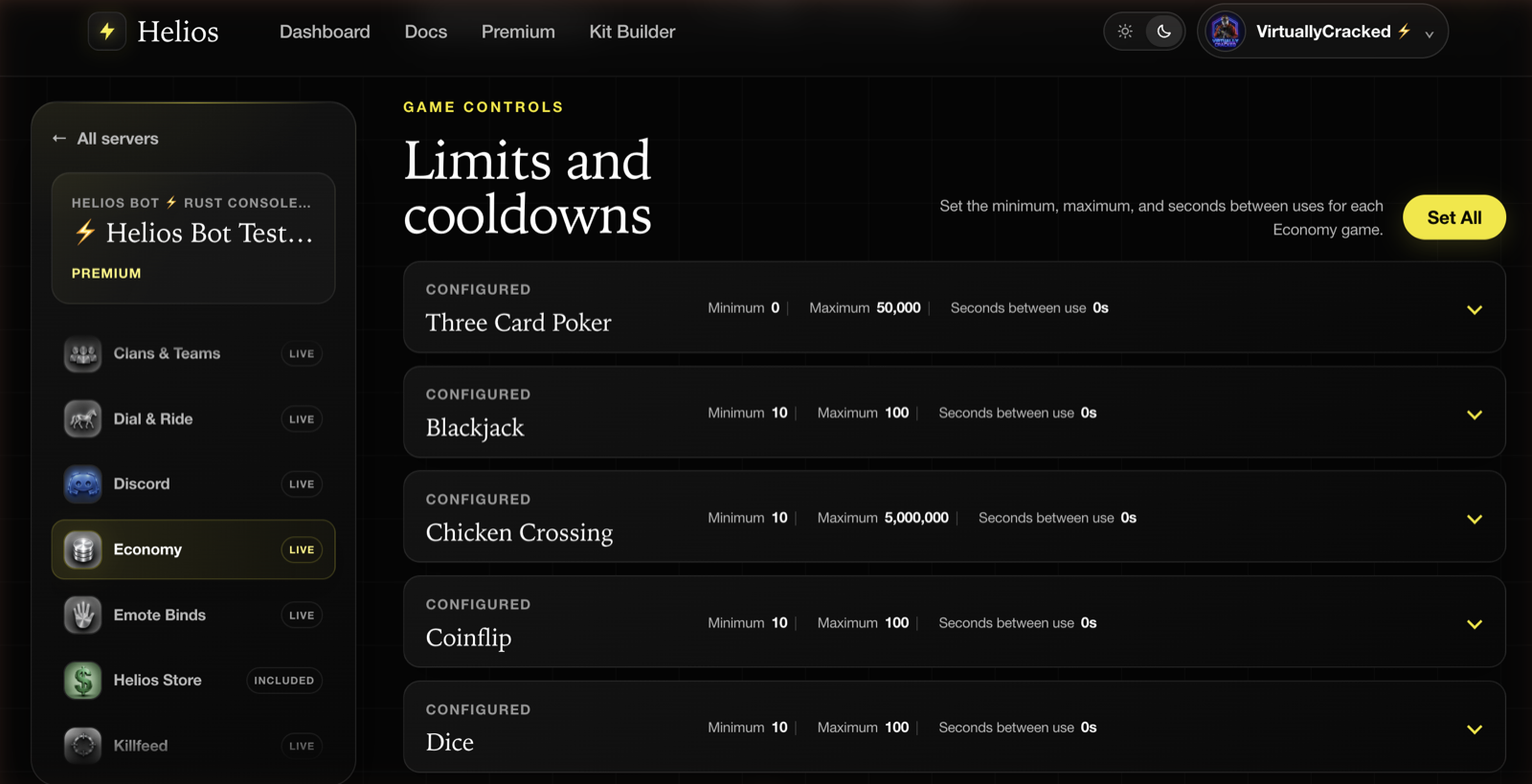
Each of the nine Casino Games has its own minimum bet, maximum bet, and wait time in seconds. The collapsed rows make it easy to spot a game whose maximum is much higher than the others.
Set All applies the same minimum, maximum, and wait time across all nine games at once. It is the fastest way to reset a wipe-day baseline before tuning individual games back up.
TIPTip
Keep a non-zero cooldown on high-volatility games. A zero-second cooldown on a game with a large maximum bet is how wallets get drained or inflated in one session.
Playtime rewards
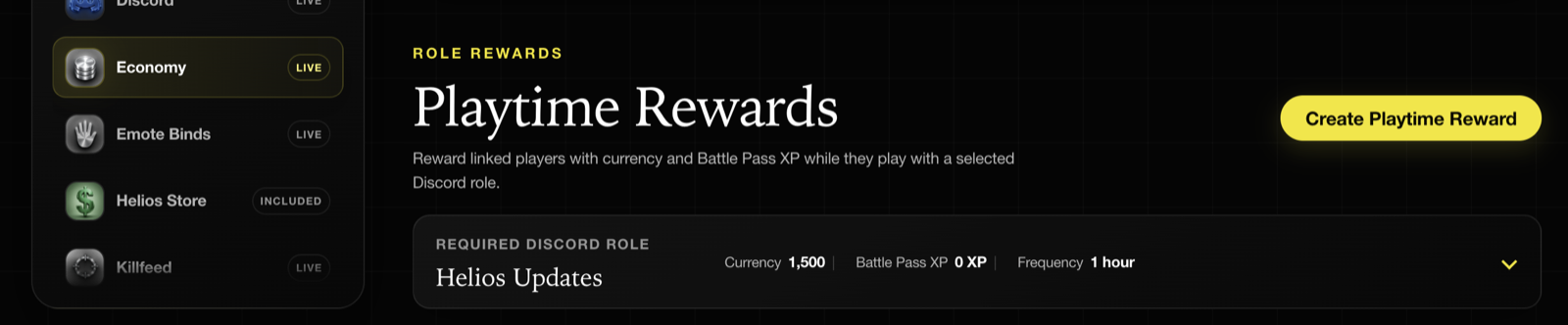
Playtime rewards pay linked players currency and battle pass XP while they are on the server, gated behind a Discord role. Each reward records the required role, the currency and XP per interval, and how often it pays.
Create a playtime reward
- Choose Create Playtime Reward.
- Choose the Required Discord role.
- Set Currency reward and Battle Pass XP for each payout.
- Enter Reward frequency in minutes.
60is hourly;30is every half hour of eligible online time. - Review the values, then choose Create Reward.
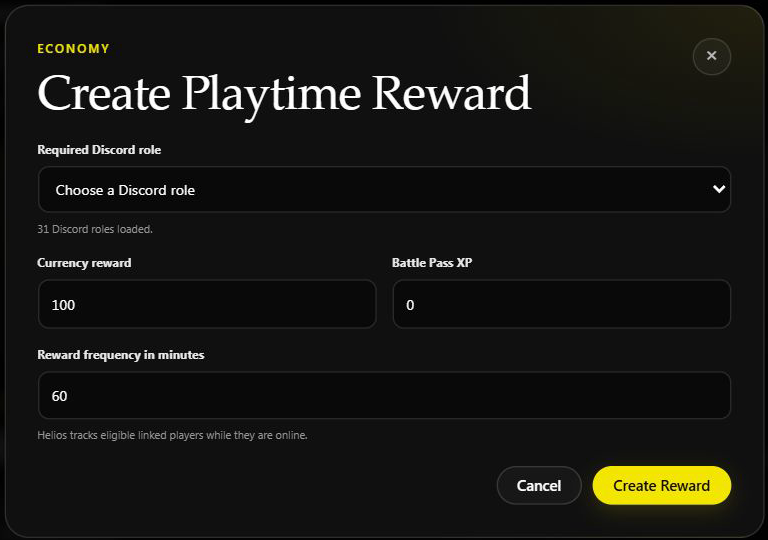
This is an unsaved form on Helios Bot Testing, not a payout result. The dashboard requires a currency amount of at least 1; XP may be 0.
How payouts work
Currency is added to the player's Wallet, not their Safe Pocket. Battle Pass XP is added automatically; the player does not need to claim it. Helios counts eligible online time reported by the game server, not time spent in Discord or old lifetime playtime.
Each matching role reward pays separately. If a player has two rewarded roles, both can pay; Helios does not automatically select only the highest amount. A partly completed interval is kept for the next eligible period rather than requiring one uninterrupted session. Payouts depend on Helios's player updates, so they may not appear at the exact second an interval completes.
Personal and community XP boosts can increase the playtime XP, but do not multiply the currency payout. See XP Events.
Use Edit on a saved reward to change it. Allow about a minute for a saved change to be picked up. Deleting a playtime reward also removes its saved progress; it is not a pause button.
Starting balance is not a reset
Starting Balance is checked when a player links. It is applied only when that Discord user does not already have an economy balance in the community. Relinking an existing economy account does not grant the allowance again. Changing the setting does not top up or rewrite current players.
For current balances, use Set Player Balances. That sets an exact total rather than adding an allowance. For the money's display name, use Set the Currency Name.
Tips
- Tune one card at a time and watch it for at least one full wipe cycle before changing another.
- Balance PvP rewards against team-kill penalties. Generous kill rewards with no penalty make team-killing profitable.
- Revisit Starting Balance whenever you change the wipe ruleset — it sets the floor for the whole economy.
- Write down the previous values before a big adjustment. There is no undo.
- Check playtime rewards after a Discord role restructure. Renaming the same role keeps its reward working; deleting it and creating a replacement role requires updating the reward to the new role.
Common issues
A card will not save
A field is either negative, not a whole number, or a maximum lower than its minimum. Steal percent also has to land between 0 and 100.
Currency is inflating faster than players spend it
Look at kill rewards and daily/beg payouts together, then at the maximum bets under Limits and cooldowns. A high maximum with no cooldown multiplies whatever players already have.
A playtime reward is not paying
Confirm the player is linked, is actually online in a connected game server that Helios can track, and has the selected Discord role. Check the frequency and wait for enough recorded online time; creating a reward does not pay an immediate welcome bonus. A renamed role still works, but a newly created role with the same name is a different role.
Free tier vs Premium
The dashboard Economy editor requires Premium on the connected game server. In Discord, /economy lets a free server edit:
- Three Card Poker, Chicken Crossing, and Over/Under limits
- Begging
- PvP Rewards
- Kill XP
- Team Kills
- Starting Balance
- Playtime Rewards
Premium is required in /economy for:
- Daily Reward settings
- Blackjack, Coinflip, Dice, Mines, Roulette, and Spin limits
Spin itself is free for players; changing its limits is a Premium control. See Casino Games for the player command tiers.
Doing the same thing in Discord
The /economy panel covers the same settings and still works:
/economy
It opens a panel with buttons for each game mode and reward system. You need Manage Server permission in Discord. On a free server, you can edit only the free-tier options above; the remaining options, such as Daily Reward and the other game limits, require Premium.
Panels in Discord are user-scoped, so each admin should open their own /economy rather than sharing one.
TIPTip
On a Premium server, the dashboard and /economy read and write the same values. You can set limits in Discord and tune rewards on the dashboard, or the other way around.