Helios Rust Console Bot Documentation
Casino Games
Play Helios wallet games in Discord and set safe bet limits for your Rust Console community.
- Last updated
- Maintained by
- Helios RCE
Helios has nine games that use your server's in-bot currency. A bet comes from the player's wallet, not their safe pocket. These games do not charge a payment card or spend Premium credit.
Pick a game
| Game | Discord command | Access | What players choose |
|---|---|---|---|
| Three Card Poker | /3card bet:100 | Free | Play, double down, or fold after the cards appear. |
| Chicken Crossing | /chicken amount:100 | Free | Start, advance, or cash out. |
| Spin | /spin on:green amount:100 | Free | Pick a wheel color. |
| Over/Under | /overunder bet:100 choice:over | Free | Pick whether two dice total over or under 7. A 7 returns the bet. |
| Blackjack | /blackjack bet:100 | Premium | Hit, stand, or double when available. |
| Coinflip | /coinflip bet:100 | Premium | Pick heads or tails when prompted. |
| Dice | /dice bet:100 | Premium | Place a bet and watch the roll. |
| Mines | /mines bet:100 | Premium | Reveal tiles on a 4-by-4 board and choose when to cash out. |
| Roulette | /roulette bet:100 type:red | Premium | Pick red, black, green, high, low, even, or odd. |
The amounts above are examples, not recommended limits. Each server can set its own minimum, maximum, and wait time between games. If a command says the bet is outside the allowed range, choose an amount within your server's limits.
Before you play
- Use
/bankto check your wallet. Move currency from your safe pocket with/withdrawif needed. - Run one of the game commands in your Discord server. For games with buttons, finish the round in the message Helios posts.
- Check
/bankagain after the result. A winning payout goes back into the wallet; a lost bet stays spent.
For Blackjack, Three Card Poker, Chicken Crossing, and Mines, do not leave a round open indefinitely. Their buttons expire. If a game is still in progress, finish or wait for that round to end before starting another of the same game.
INFONote
Premium is checked for the Discord server running Blackjack, Coinflip, Dice, Mines, or Roulette. A Premium game can be unavailable even when the player has enough currency.
Set game limits as a server owner
On a Premium server, open Dashboard → Manage Server → Economy → Limits and cooldowns. Choose a game, enter its minimum bet, maximum bet, and Seconds between use, then select Save Limits. Set All applies one set of values to all nine games; review each game afterward if you want different limits.
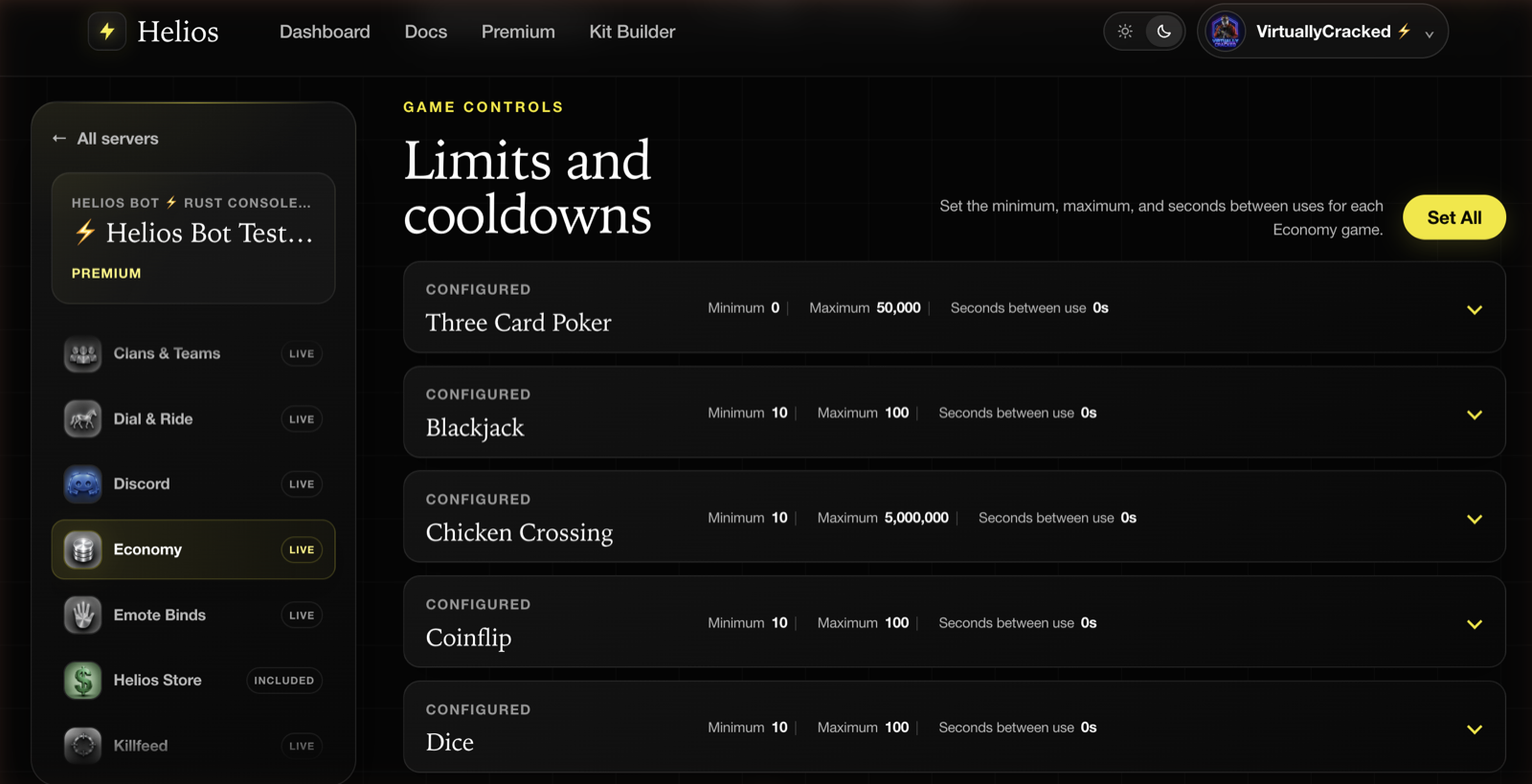
You can also open /economy in Discord with Manage Server permission. Without Premium, its editable game limits are Three Card Poker, Chicken Crossing, and Over/Under. Spin is free for players but changing its limits through /economy requires Premium. The dashboard Economy editor itself requires an active Premium allocation.
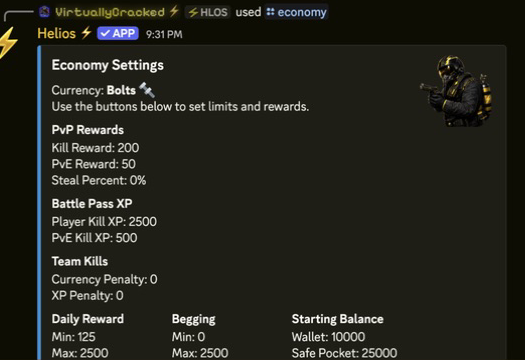
Start with a maximum that fits your server's currency rewards. A large maximum and a zero-second wait can change balances very quickly. For other payouts and starting balances, see Economy Settings.
If a game will not start
- Not enough currency: the wallet must cover the bet; money in the safe pocket does not count until withdrawn.
- Bet rejected: ask a server admin to check that game's minimum and maximum.
- Wait message: the per-player wait time for that game has not ended.
- Premium message: the Discord server needs active Premium for that game.
- Round already running: finish the current button-based round or wait for it to expire.
Case Battles are a separate Premium feature using chests, not one of these nine wallet-game limit cards. See Treasure & Keys for chest setup.