Helios Rust Console Bot Documentation
Helios Store Offers & Upsells
Run automatic discounts, coupon codes, and gift cards on your Helios Store, plus the checkout upsell for /bag space.
- Last updated
- Maintained by
- Helios RCE
The Offers tab holds three ways to discount, and the Upsells tab holds one way to rescue a checkout that is about to fail.
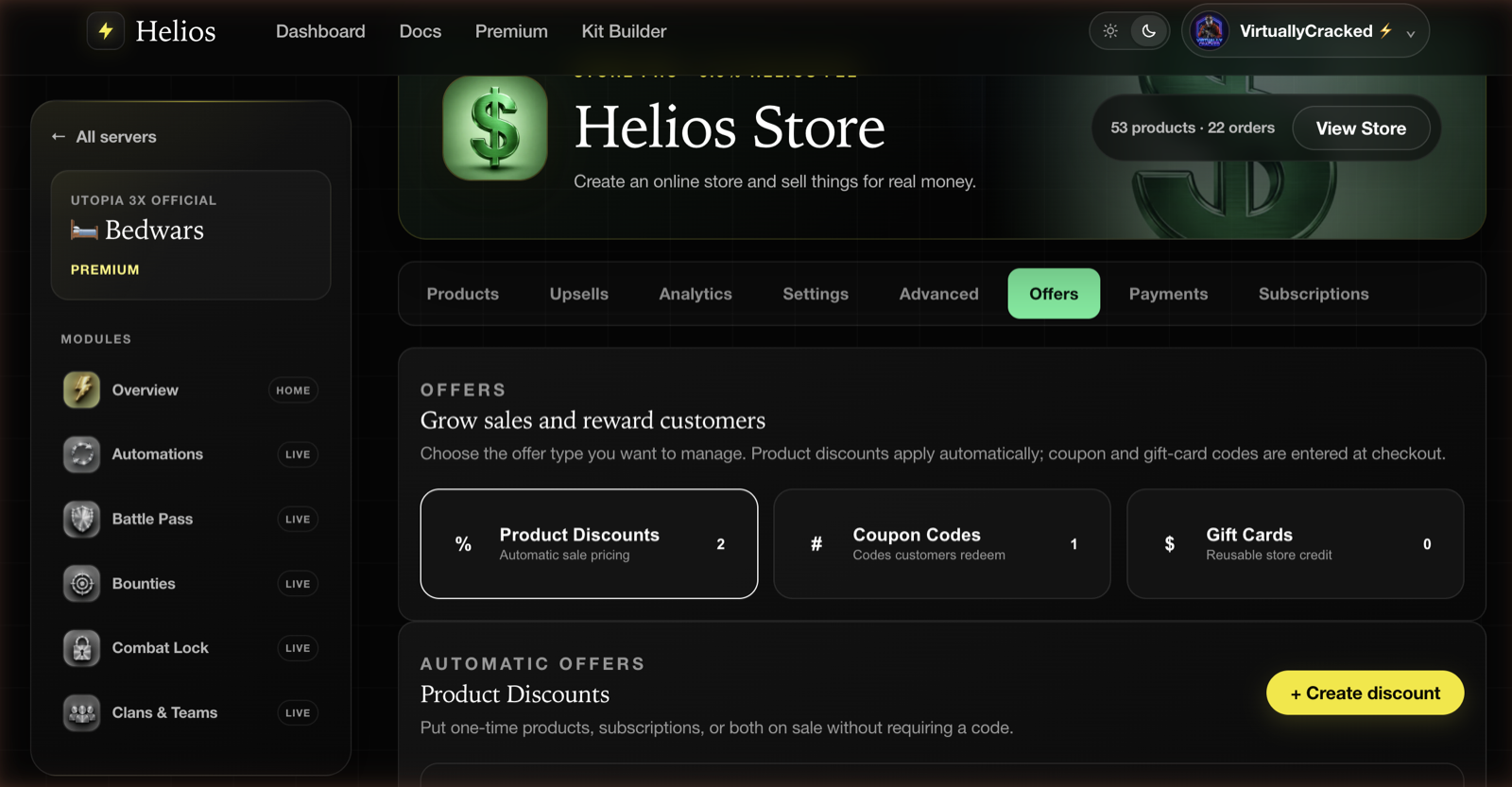
How offers combine
Coupon codes replace an automatic product discount rather than stacking on it. Gift cards are different: the automatic sale applies first, then the gift card pays the remaining total. A gift card can also reduce the first payment for an eligible subscription; future renewals use the saved payment method.
Helios fees are calculated after the discount, so a sale reduces what you pay Helios as well as what the buyer pays you.
Product discounts
Automatic sale pricing — no code, no buyer action. The storefront shows the original price struck through with the new price beside it.
- Name — shown on the product card, so write it as marketing:
50% OFF SUMMER SALE. - Percentage — how much off.
- Apply on — all products and subscriptions, all one-time products, or all subscriptions.
- Subscription sale duration — first billing period only, or the entire subscription.
- Start date and Expiration date — both optional. Set them and the sale runs itself.
Existing discounts can be activated and deactivated from the list without deleting them, and each row shows its redemption count.
WARNImportant
Entire subscription means the discount rides every renewal for as long as that buyer stays subscribed. It is a permanent price cut for everyone who signs up during the sale, not a launch promotion. Use First billing period only unless you specifically mean the former.
Coupon codes
Codes a buyer types at checkout.
- Code — type your own, or click Generate.
- Discount type — percentage or fixed amount.
- Value — the percentage or the amount off.
- Valid for — all one-time products.
- Expiration date, global limit, and usage limit per customer — each optional.
The per-customer limit is the one worth setting. Without it, one person can hand your launch code to a hundred friends.
INFONote
Coupon codes do not apply to subscription products. Use a product discount with All subscriptions if you want to run a subscription sale.
Gift cards
Stored-value credit that can be spent across your store, generated in batches.
- Name — your own label for the batch.
- Initial credit and Currency — defaults to your store's base currency.
- How many to generate — one code per card.
- Expiration date — optional.
Gift cards are the natural prize for an event or giveaway: the winner gets store credit and picks what they actually want, and you never touch a payment method.
If a store sale is active, the buyer keeps that sale price. Helios deducts only the discounted amount from the gift-card balance.
WARNImportant
A gift card code is shown once, at creation. Only a hashed form is stored afterwards, so Helios genuinely cannot show it to you again — copy the codes out before you close the dialog.
You can also sell gift cards. Add a Gift Card reward to a product and buying it creates a code scoped to your own store, DM'd privately to the purchaser.
Upsells
The Upsells tab handles one specific failure: a buyer purchases a kit or item, and their /bag is full.
Tick Upsell /bag space and pick a bag-space product. When a buyer does not have room, they are offered that product immediately instead of losing the cart.
Only active one-time products that grant /bag slots can be selected, so build one first — an Extra /bag Slots reward, priced low.
Tips
- Avoid overlapping automatic sales because only the strongest one applies. Gift cards can still be used on top of that sale.
- Give coupon codes an expiration date at creation. A code with no end date circulates forever.
- Use fixed-amount coupons for high-priced bundles and percentages for the store as a whole.
- Price your bag-space upsell product low. It exists to unblock a sale, not to be a revenue line.
- Check the redemption counter after a sale ends — it is the cheapest read you have on whether discounting works on your store.
Common issues
The discount is not showing on the storefront
Check that it is Active and that today's date falls inside its start and expiration dates. Also confirm the Apply on setting covers the product type you are looking at.
A buyer's coupon was rejected
Most often the product is a subscription, which coupon codes do not cover. Otherwise the code hit its global limit, that buyer hit their per-customer limit, or it has expired.
The buyer got the sale price but not the coupon discount
Both applied to the same checkout, so only one won. Coupon codes replace automatic product discounts by design.
Applying a gift card removed the sale price
Refresh the storefront and apply the gift card again. Gift cards are deducted after the automatic sale, so the buyer keeps the sale price and only the remaining total comes off the card.
I lost a gift card code
It cannot be recovered — only a hashed form is kept. Deactivate that card and generate a new one.
The bag-space product will not appear in the upsell dropdown
It has to be an active, one-time product whose reward grants /bag slots. Subscriptions and unpublished products are excluded.