Helios Rust Console Bot Documentation
/easy binds
Manage emote binds for your Rust Console Edition server from the Helios dashboard or the /easy binds panel in Discord.
- Last reviewed
- Tested on
- Helios Bot Testing dashboard
- Maintained by
- Helios RCE
Overview
Emote binds map a Rust quick-chat phrase to an action — give a kit, give a Rust item, spawn a vehicle, or teleport the player.
There are two ways to manage them, and both read and write the same binds:
- The Emote Binds module in the Helios dashboard — the faster option, with the full bind list on one screen.
- The
/easy bindspanel in Discord — the same controls, without leaving Discord.
On the dashboard
- Open the dashboard and sign in with Discord.
- Click Manage Server on the server you want to edit.
- Choose Emote Binds, or search for kit cooldown.
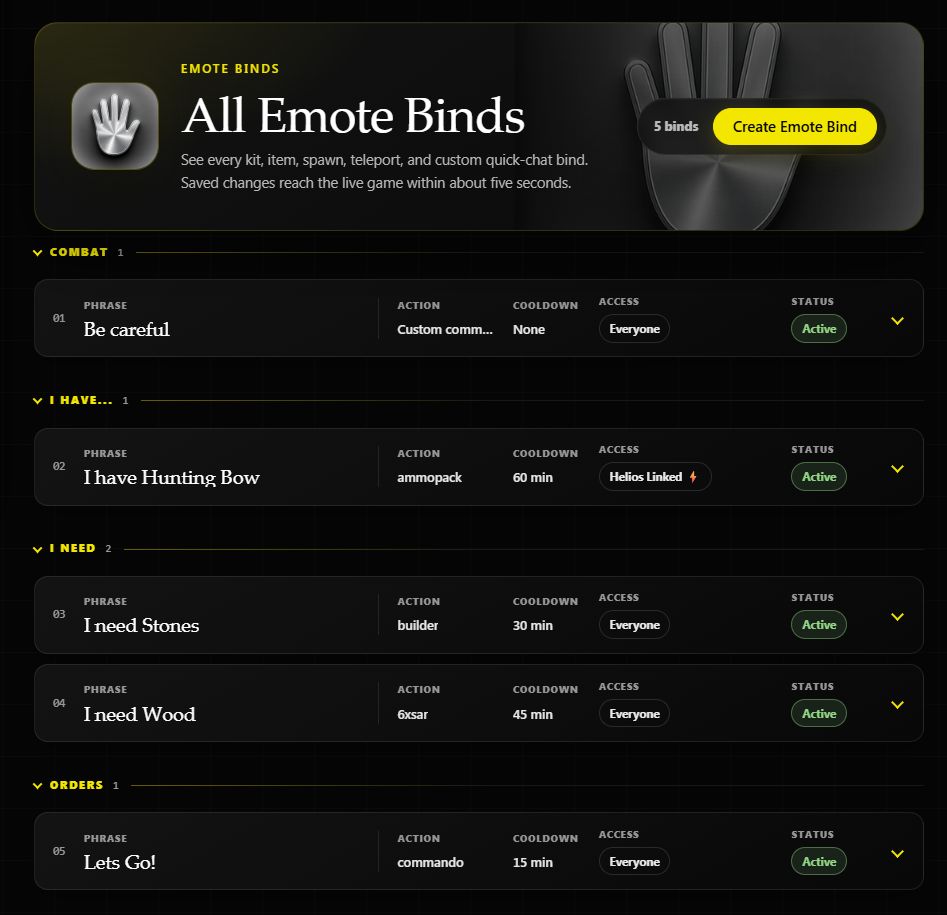
Click a phrase to expand its details, then choose Edit. To add a new bind, choose Create Emote Bind.
The screenshots use a saved bind from Helios Bot Testing. Click any screenshot to view it full size.
Create and configure a bind
Example: let players claim your builder kit using I need Stones, once every 30 minutes.
| Setting | Example value |
|---|---|
| What should this emote do? | Give a kit |
| Rust quick-chat trigger | I need Stones |
| How players trigger it | Emote on its own |
| In-game kit name | builder — choose a kit that exists on your server |
| Cooldown in minutes | 30 |
| Chat type | All chat |
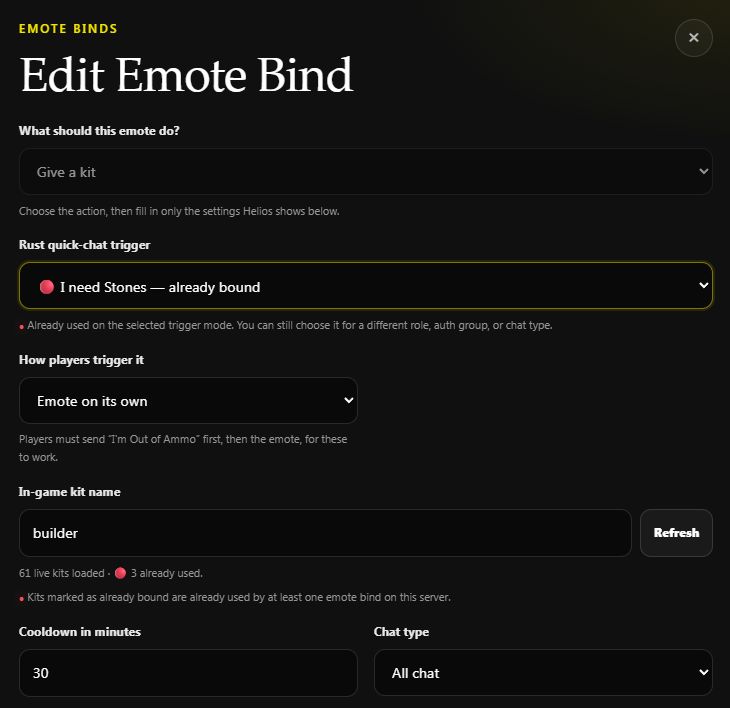
Already bound means that phrase or kit is already in use, including the bind you are editing. Check the existing bind before creating another.
The I'm Out of Ammo, then the emote option requires that extra quick-chat phrase first. Leave Emote on its own selected for this example.
Choose who can use it
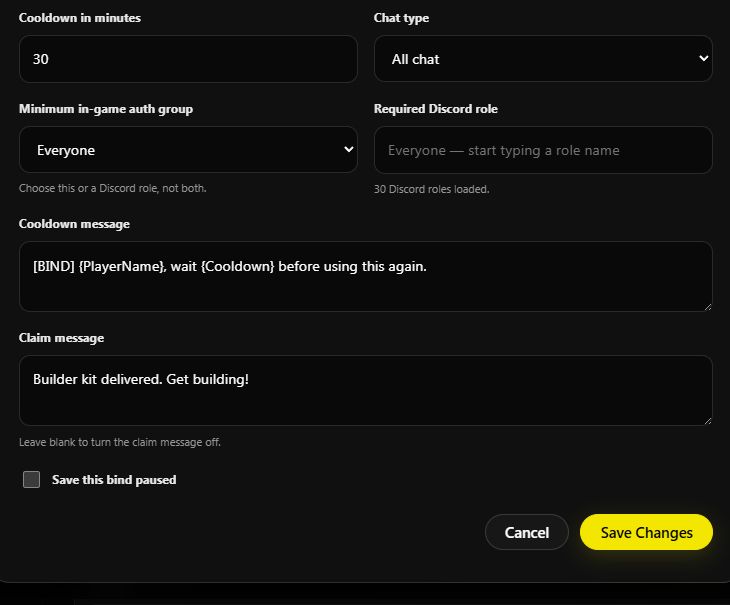
For everyone, leave Minimum in-game auth group set to Everyone and Required Discord role empty. To restrict access, choose an in-game auth group or a Discord role. Players using a role-restricted bind must have linked their account with /link and have that role.
Keep the default Cooldown message, or use:
[BIND] {PlayerName}, wait {Cooldown} before using this again.
For Claim message, try:
Builder kit delivered. Get building!
Leave the claim message blank to turn it off. Leave Save this bind paused unchecked when you want it active.
Save and test
- Choose Create Bind for a new bind, or Save Changes when editing. Wait for the success message.
- Expand the saved row. Check the kit, 30 min cooldown, Everyone access, and Active status.
- Allow about five seconds for the update, then send I need Stones through Rust's quick-chat menu. The expected result is your builder kit and claim message.
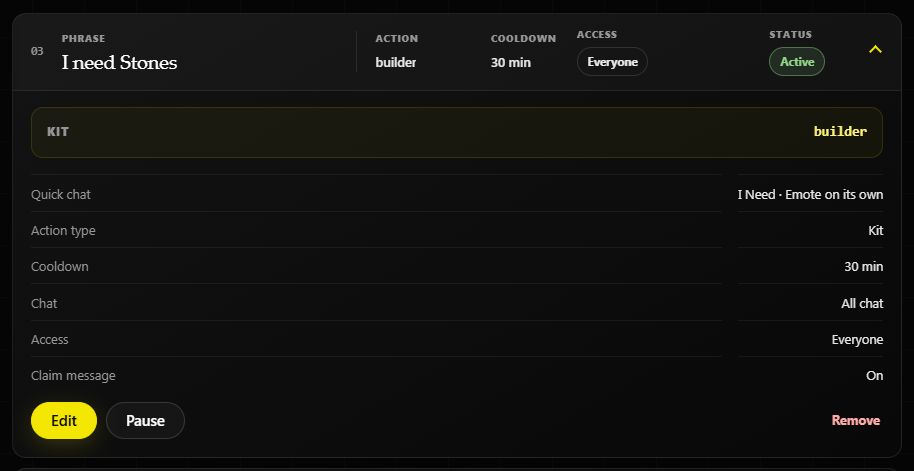
Use Edit to change the cooldown later. Pause keeps the bind saved but stops it running; Resume turns it back on.
Other actions
| Action | What you configure |
|---|---|
| Give a Rust item | The Rust item and quantity |
| Spawn a vehicle, entity, or node | A spawn preset such as Mini, Recycler, or a node |
| Teleport the player | Coordinates, delay, and ground-placement behavior |
| Run a custom command | RCON commands using the available player placeholders |
In Discord
/easy binds server: US Main
The panel opens with Create, List, Edit, and Remove. Review the current bind state with List before you change anything, then test one bind after saving.
Requirements
Before using either method, make sure:
- Helios is connected to at least one server in this Discord
- You have Manage Server permission
- You selected the correct server if your Discord has multiple servers connected
- For teleport binds created in Discord, your account is linked with
/link— Helios reads your in-game position to fill the coordinates
Troubleshooting
A bind saves but does nothing in game
For kit binds, refresh the kit list and reselect the kit. For teleport or custom-command binds, confirm the saved values still match the current map and command syntax.
The kit dropdown is empty
Confirm the server is online, connected over RCON, and has kits configured, then use Refresh in the bind editor.
One player cannot activate the bind
Check the bind's required Discord role, minimum auth group, trigger mode, and cooldown. A paused bind stays saved but will not run for anyone.