Helios Rust Console Bot Documentation
In-Game Killfeed
Add, review, and edit the killfeed messages players see inside Rust.
- Last reviewed
- Maintained by
- Helios RCE
/gamefeed controls messages inside Rust chat. It does not choose a Discord channel. You need Manage Server in Discord and a connected game server.
For the dashboard walkthrough, see In-game killfeed templates. For every supported name and stat, see the placeholder reference.
Review before changing anything
/gamefeed list
/gamefeed help
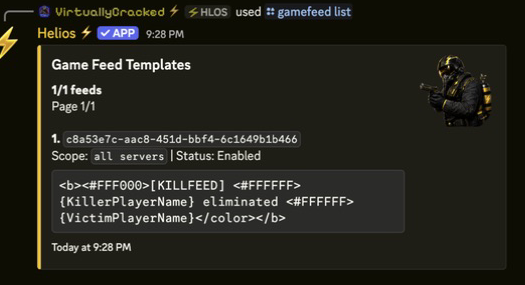
List shows saved templates one page at a time; help shows the supported placeholders. Neither changes your feed.
Add a simple line
/gamefeed add message:"{KillerPlayerName} killed {VictimPlayerName}" server:"<SERVER>"
Choose your server from Discord's suggestions. Leaving server: out makes the template shared across this Discord community's connected game servers.
Copy placeholders exactly, including braces and capital letters. Start with names, then add streaks, stats, or colors once the basic line is readable.
Shared templates still count
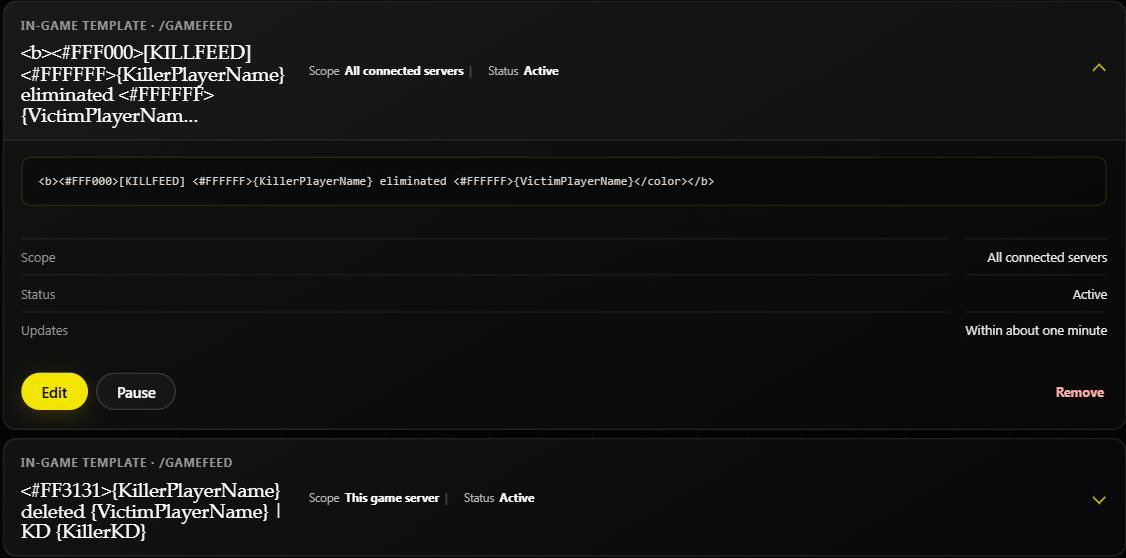
Helios picks one eligible template at random. A server-only template does not override shared templates. Changing a shared template changes it for every connected server.
Edit, pause, or remove
/gamefeed edit id:"<TEMPLATE_ID>"
/gamefeed remove id:"<TEMPLATE_ID>"
Select the template from Discord's suggestions. Edit opens a form; it does not save until you submit. Remove deletes that template, so copy the message first if you may need it later.
On the dashboard, expand the template card. Use Edit for its message and scope, Pause to stop it temporarily, or Resume to bring it back.
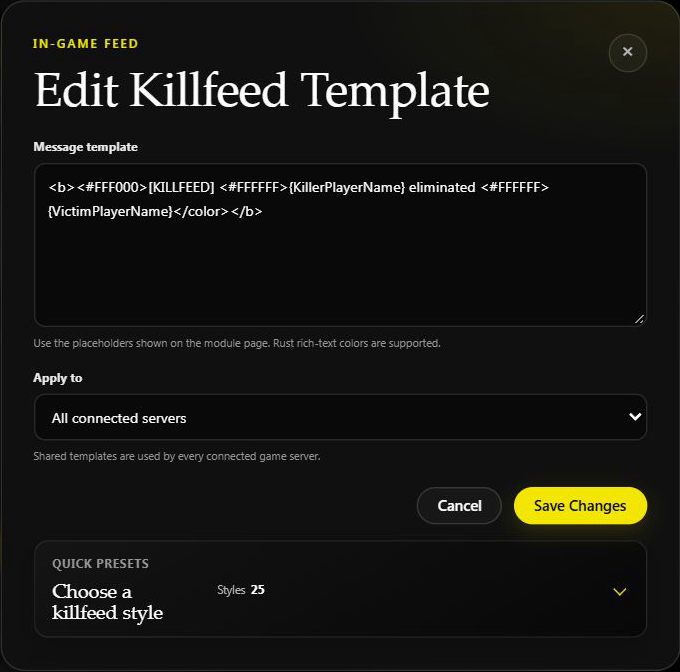
Saved changes normally apply within about a minute. Watch the next normal kill; do not arrange a live-server test just to check formatting.
Missing deaths or distance
Both PvE in Feed and EvE in Feed affect which non-player events appear. {Distance} needs Premium Player Tracking and available player positions. See the settings and distance explanation before changing a template to fix a filtering problem.