Helios Rust Console Bot Documentation
Teleports, Zones & ORP
Set up movement systems, homes, zones, and Offline Raid Protection.
- Last reviewed
- Maintained by
- Helios RCE
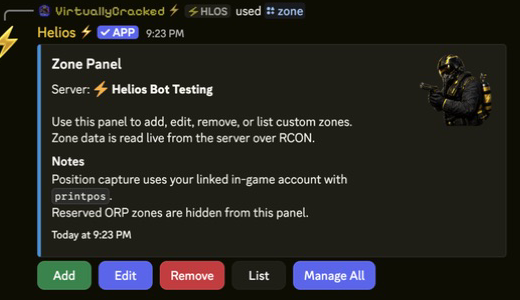
Use this hub to set fair movement rules and zone safety controls before you scale player-facing features.
Choose the right system
| Goal | Guide |
|---|---|
| Let players place and travel to a home | TP Home setup. |
| Change combat or building rules in an area | Custom zones. |
| Protect eligible player bases while their teams are offline | Offline Protection. |
These systems do not automatically configure one another. Creating a zone does not place a home, teleport a player, set a spawn point, or start ORP.
The Discord /zone panel is Free. The dashboard zone editor requires Premium on the game server. Both require Manage Server. Custom zones apply area rules, not Discord-role entry restrictions.
Video Tutorials
Zones Setup
Offline Protection (ORP)
Recommended Setup Order
- Configure baseline teleport policy in TP/Home Setup.
- Build your zone rules in Zone Setup.
- If needed, apply protection policy in Offline Protection.
- Add optional bind/kit flows in Autokits.
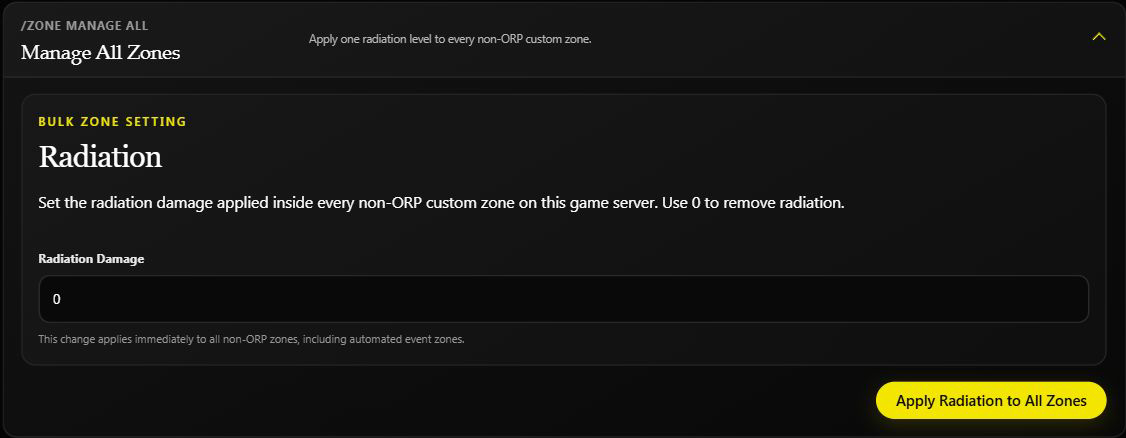
For zones, review existing settings before creating more. Discord edits apply immediately; dashboard fields wait for Save Zone, but the dashboard Enabled/Disabled control is immediate too. Avoid Manage All unless every affected non-ORP zone should receive the same change.
Most Useful Related Pages
- TP/Home Command Panel
- How TP/Home Works for Server Owners
- How to Create and Use Zones
- Zone Setup Examples
- Discord /zone controls
- Auto Kits and Binds
- Emote Binds
If Something Is Not Working
- Start with Troubleshooting.
- Validate permissions in Permissions & Roles.
- Verify command health in Server Connection.
- After a map wipe, read the live zone list and check positions against the new terrain. Keep deliberate combat/building tests on a separate testing server.