Helios Rust Console Bot Documentation
/batch
Run a list of game-server commands in order, with clear server selection and retry guidance.
- Last reviewed
- Maintained by
- Helios RCE
Run several game-server console commands, one after another. Use one command per line, not Discord slash commands.
You need Manage Server in Discord. Discord /batch is free; running a batch from the dashboard requires Premium on the selected game server.
Choose the right server
| Where you run it | Which servers receive the commands |
|---|---|
Discord /batch server:"<SERVER>" | The selected enabled game server |
Discord /batch without a server | Every enabled Helios-connected game server in this Discord server |
| Dashboard Overview → Batch Commands | Only the game server currently open in the dashboard |
Always select a server for a one-server job. Leaving the Discord server option blank is not a preview.
Use Discord
- Run
/batch server:"<SERVER>"and select the server from the suggestions. - Enter your commands in the form, one per line.
- Check the target and every command.
- Submit the form when ready. Submitting starts the commands.
An informational example:
status
kit list
These commands ask for server information and the kit list. Replace them only with commands you understand. Do not paste passwords, connection details, or private codes.
Use the dashboard
- Open your game server in the dashboard.
- Choose Overview → Batch Commands.
- Enter one command per line. The dashboard accepts 1–50 commands.
- Check the selected server, then choose Run Batch.
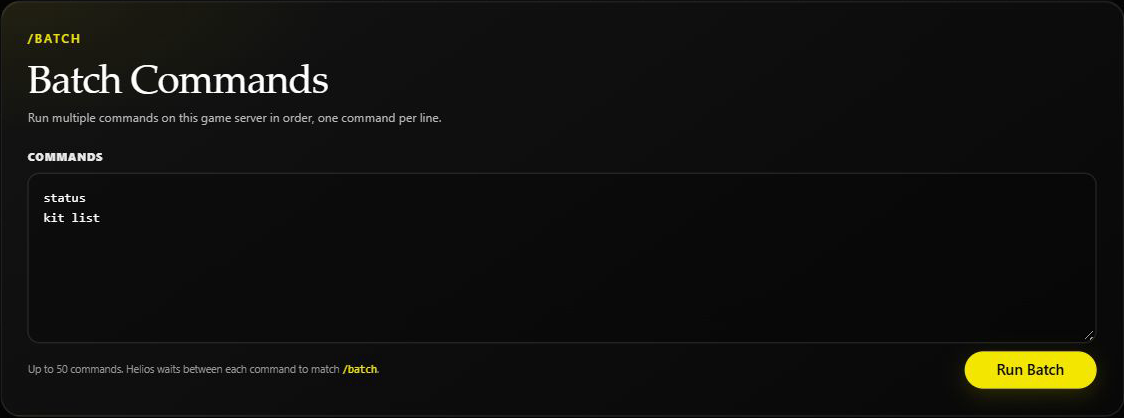
An unsubmitted example from Helios Bot Testing. The screenshot does not show a completed run.
Blank lines are ignored. Keep the list short enough for the form to accept it. This 50-command limit applies to the dashboard; it is not a stated limit for the Discord form.
Read the result before retrying
Commands run in order, with a short wait between them. A failed command does not automatically stop the remaining lines. Earlier changes are not rolled back.
The Discord result lists the servers, number of command lines, successful attempts, failed attempts, and up to eight failure details. When several servers are targeted, the attempt totals include each server.
The dashboard lists successful and failed attempts and identifies failed line positions. Neither summary proves that every command had the intended in-game effect: a game server can return an error as ordinary console text. Check the actual kit, setting, or other result.
Do not rerun the entire batch without checking. Giving items or adding kit contents again can repeat changes that already worked. Review the target server and retry only what still needs doing.
If it does not work
- No enabled servers: check the selected server in Server Management.
- Server unavailable: wait for the connection to recover before retrying.
- Form or buttons expired: reopen the command and review the target again.
- Partial failure: inspect the live result first; do not assume nothing changed.
For a reusable saved list, see Command Groups. For exports and copying, see Kit Commands.