Helios Rust Console Bot Documentation
Killstreaks
Build a PvP reward ladder in the dashboard and show players how to claim coins, kits, UAVs, and Care Packages.
- Last reviewed
- Tested on
- Helios Bot Testing dashboard
- Maintained by
- Helios RCE
Reward players for reaching a PvP kill streak. Coins pay straight into a linked player's wallet; other rewards wait for the player to claim them. Requires Premium on the selected server.
For Coins, Kit, and Item rewards, ask players to use /link before they earn the reward. That connects their Discord account to the right in-game player.
Add your first reward
- Open the dashboard, choose Manage Server, then Killstreaks.
- Choose Add Killstreak Reward and select a reward type.
- Enter Required Kills, Claim Within (Minutes), and Earn Cooldown (Minutes).
- Fill in the reward details, then choose Create Reward.
- Choose Turn Killstreaks On if the feature is inactive.
To change a saved reward, open its row and choose Edit, then Save Changes. Rewards players have already banked keep the details they were earned with.
Example: start with 500 coins
Choose Coins, set Required Kills to 3, and enter 500 for Coin Amount. An earn cooldown of 0 allows the player to earn this reward again on a later qualifying streak without an extra waiting period.
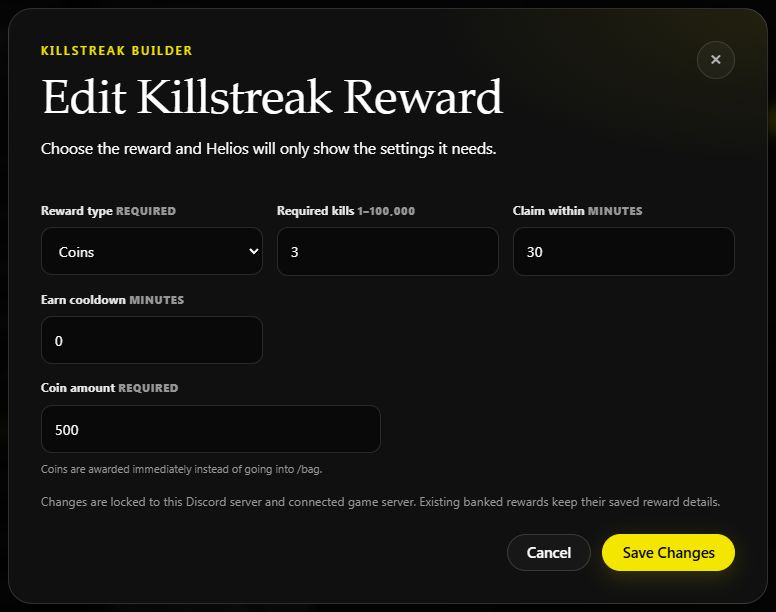
The saved reward editor on Helios Bot Testing. Coins pay immediately, so the claim window is used for banked reward types instead.
You can build a ladder like the one on the test server:
| Kills | Reward | What the player receives |
|---|---|---|
| 3 | 500 Coins | An immediate wallet payment |
| 5 | Care Package | A banked supply drop to call in within 30 minutes |
| 20 | UAV | A banked scan that runs for 60 seconds once activated |
Only qualifying PvP kills count. Teammate kills, self-kills, and environmental deaths are ignored. Players in active games are excluded. A qualifying PvP death resets the victim's streak. If several rewards use the same kill count, the player can earn all of them at that threshold, subject to cooldowns and available claim slots.
How players claim rewards
- Reach a reward's kill count. Coins go straight to the linked player's wallet.
- For a banked reward, open Rust's Quick Chat and choose Here Take This.
- Read the reward menu and send the matching quick-chat response within 30 seconds.
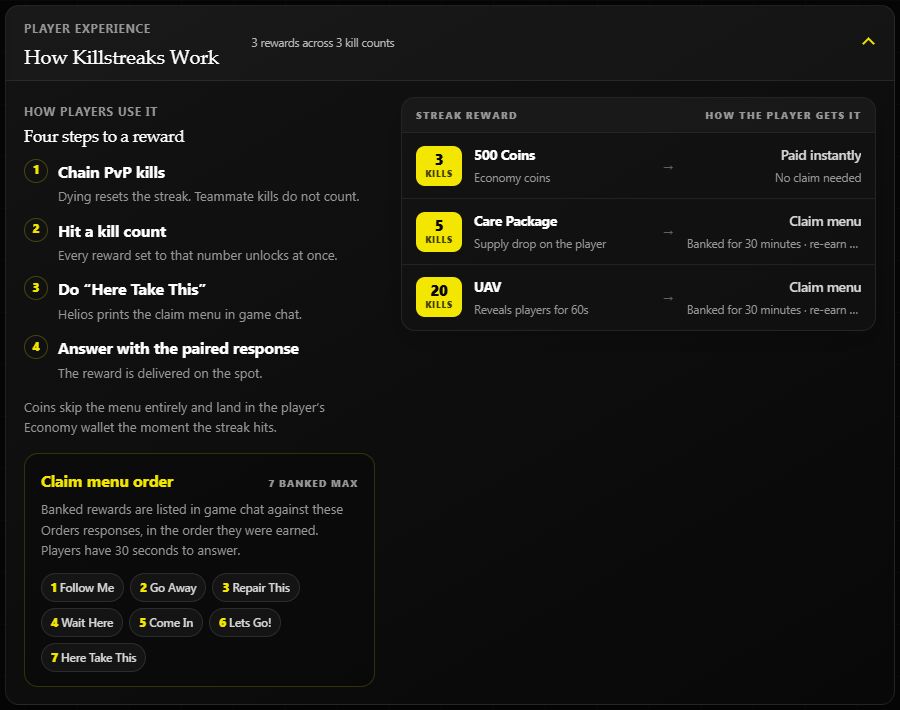
Players can hold up to 7 banked rewards. Claim Within (Minutes) is the reward's expiry window; the 30-second limit is only for answering the menu. Open the menu again if the response window closes before the reward expires.
Linked players can also collect Kit and Item rewards through /bag. This is another way to collect the same reward, not a second copy.
Choose a reward type
| Type | Result |
|---|---|
| Coins | Adds the configured amount to a linked player's wallet immediately |
| Kit | Adds the configured kit to the linked player's bag for delivery |
| Item | Adds the configured item and quantity to the linked player's bag |
| Care Package | Spawns a supply drop above the player when claimed |
| Spawn | Spawns the selected vehicle or object preset at the player |
| UAV | Reports the number of nearby players within 75 metres at the configured interval |
| Atom Bomb | Counts down, then kills every player on the server, including teammates |
For UAV, set its duration and ping interval in seconds. Its result is a nearby player count, not an enemy-only location marker. Give Atom Bomb a clear countdown message before offering it as a reward.
Manage rewards from Discord
Admins with Manage Server can use:
/set killstreaks server:"<SERVER>"
Choose On, then Add. Set Killstreak, select a Reward, fill in its Settings, and Save. Use List to review the ladder or Remove to delete a reward.
Staff with /give access can grant an existing reward to a linked player:
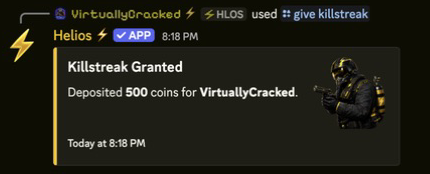
/give killstreak server:"<SERVER>" killstreak:"<REWARD>" user:@player
Coins pay immediately. Other types become banked claims; Kit and Item rewards can also be collected through /bag.
If a reward is missing
Check that Killstreaks is enabled, Premium is active, and the kill qualifies. Then check the reward's Earn Cooldown, the player's available banked slots, and their /link status for Coins, Kit, or Item rewards. Banked rewards must be collected before their claim window expires.