Helios Rust Console Bot Documentation
Setup Foundation Commands
Baseline Helios owner and admin commands for first-launch setup on Rust Console servers, with tier labels.
- Last updated
- Maintained by
- Helios RCE
Recommended Order
- Add and verify server connection commands.
- Apply role defaults and server settings.
- Validate console command path.
- Confirm premium status before enabling premium modules.
Command Matrix
| Command | Tier | Access | Purpose |
|---|---|---|---|
/server add | Free | Owner/Admin | Add new server connection. |
/server list | Free | Owner/Admin | Check server state and health. |
/server edit | Free | Owner/Admin | Update IP/port/password/name. |
/server enable | Free | Owner/Admin | Enable/disable configured server. |
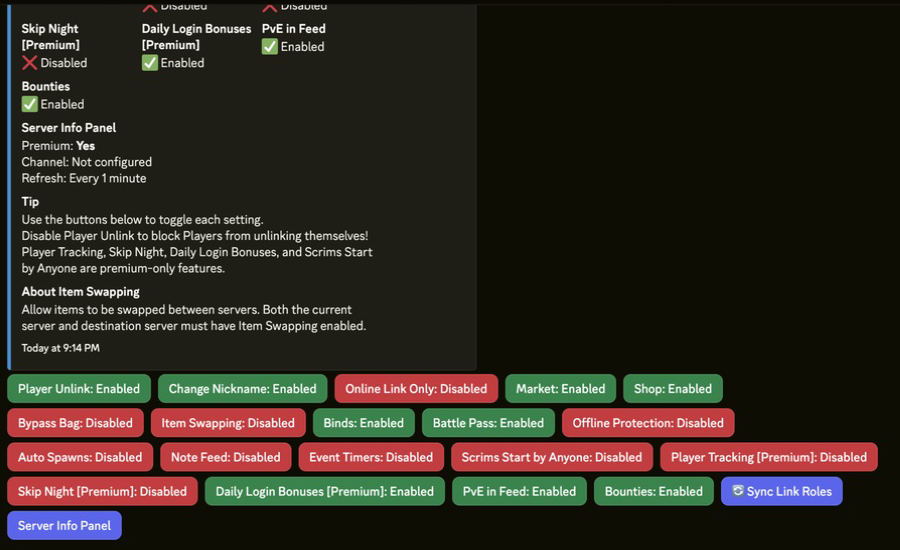
/settings server | Mixed | Owner/Admin | Open baseline server settings panel. |
/set link-role | Free | Owner/Admin | Set default role granted by /link. |
/cmd send | Free | Owner/Admin | Run direct command test (for example fps). |
/cmd execute | Premium | Owner/Admin | Run saved multi-command group. |
/tc add | Premium | Owner/Admin | Schedule recurring command routines. |
/premium status | Free | Owner | Confirm premium allocation. |
/premium activate | Free | Owner | Activate premium on selected server. |
/premium transfer | Free | Owner | Move Premium to a different server. |
Launch Checklist
-
/server addcompleted and values validated. -
/cmd sendsmoke test succeeds. -
/settings serverbaseline toggles applied. -
/set link-roleconfigured. -
/premium statusreviewed before premium-module rollout.