Helios Rust Console Bot Documentation
Shop and Market Setup
Find current shop setup, player market, bag delivery, and changing-price guides.
- Last reviewed
- Maintained by
- Helios RCE
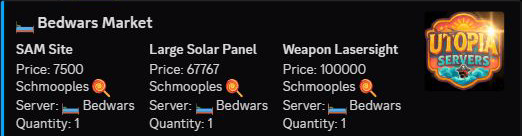
Setup flow
Use Shop & Market Setup for the owner's dashboard walkthrough. Players can follow Buying from the In-Game Shop, Your Bag and Items, and Player Market.
- Build categories.
- Add product types.
- Set inventory and premium market behavior.
- Test purchase and inventory flows.
Core commands
/category add,/category edit,/category remove/product add,/product add-item,/product add-cmd/product add-tp(premium)/set inventory-limit/shopand/marketrequire Premium;/bagis available on the free tier.
Important differences
- Shop sells owner-configured products. A fixed-product button can buy immediately.
- Market sells other players' saved bag items. Its item buttons can also buy immediately, and the reward is not redeemed in game by buying it.
- Dynamic Pricing adjusts eligible Shop prices for one game server; it does not adjust Market asking prices. See Dynamic Shop Pricing.
- Sell to Trader accepts the trader's offer now. Sell on Market waits for another buyer and moves the item out of the bag while listed.
Validation checklist
- Products appear in shop.
- Cooldowns and limits are enforced.
- Market access matches premium status.