Helios Rust Console Bot Documentation
ORP Team & Clan Tracking
Choose which members Helios tracks when deciding whether a base is offline.
- Last reviewed
- Maintained by
- Helios RCE
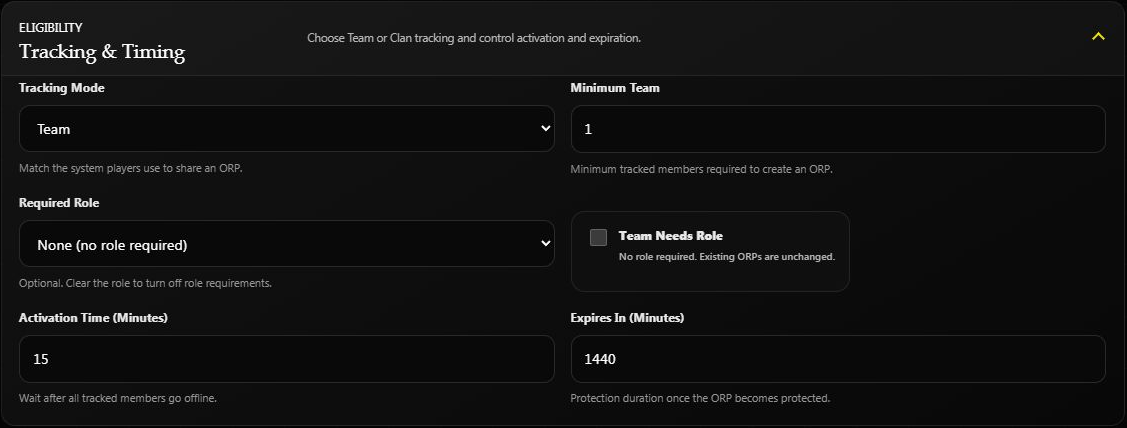
Open Offline Protection → Tracking & Timing and choose Team or Clan.
- Team uses the player's Rust team.
- Clan uses their Helios clan.
- Minimum members controls the group size required to create an ORP.
- The activation delay starts after the tracked group is offline.
Helios collects and updates the tracking information automatically. You do not need to create a timed command or run a polling loop.
Check a zone that stays online
Use /orp list and the ORP feed to inspect the zone's tracked members and status. Confirm the intended Team/Clan mode and allow time for the current online state to refresh.
If the membership looks wrong, check the actual Rust team or Helios clan first. Clans & Teams explains the difference.
For size, role rules, and activation/expiry timing, use the main ORP guide.