Helios Rust Console Bot Documentation
Owner/Admin Commands
High-trust Helios owner and admin commands for Rust Console servers, with Free, Mixed, and Premium tier labels.
- Last updated
- Maintained by
- Helios RCE
Core Owner/Admin Controls
| Command | Tier | Minimum Access | Purpose |
|---|---|---|---|
/server add | Free | Manage Server | Add server connection. |
/setup | Free | Manage Server | Run guided first-run setup. |
/server list | Free | Manage Server | Verify configured servers and status. |
/server edit | Free | Manage Server | Update server values. |
/server enable | Free | Manage Server | Enable or disable a server entry. |
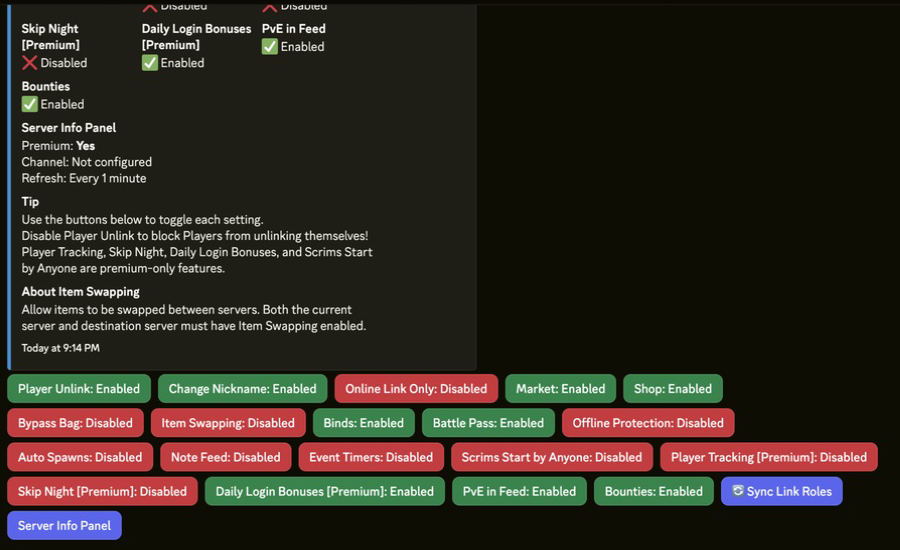
/settings server | Mixed | Manage Server | Open server settings panel. |
/cmd send | Free | Manage Server | Send one direct RCON command test. |
/cmd execute | Premium | Manage Server | Run a saved command group. |
/tc add | Premium | Manage Server | Schedule recurring command groups. |
/events | Free | Manage Server | Manage in-game event feed settings. |
/zone | Free | Manage Server | Open custom zone controls. |
/set link-role | Free | Manage Server | Set default linked-player role. |
/set link-channel | Free | Manage Server | Post or refresh the public account-link panel. |
/premium status | Free | Administrator | Review premium allocation state. |
/premium activate | Free | Administrator | Activate premium with token. |
/premium switch | Free | Administrator | Move premium between servers. |
/nuke | Premium | Manage Server | Open premium nuke controls. |
/game | Premium | Manage Server | Open premium server game controls. |
/ticket panel | Premium | Manage Server | Configure support tickets and transcripts. |
/ticket stats | Premium | Manage Server | Review support volume and resolution metrics. |
/wipe bags | Free | Administrator | Reset bag inventories. |
/wipe stats | Premium | Administrator | Reset tracked player stats. |
Operational Notes
- Keep
Administratorrestricted to trusted owners. - Run premium and wipe actions in private owner channels.
- Log action reason, operator, and timestamp for risky commands.