Helios Rust Console Bot Documentation
Guess the Skin
Set up the Discord game, submit a private guess, and see how Helios pays the winner.
- Last reviewed
- Maintained by
- Helios RCE
Open Discord → Guess the Skin in your Helios dashboard to run a Rust skin guessing game. There is one game per Discord server, even if several Rust servers are connected. The first correct guess wins the round's prize in their Helios Wallet.
You need Premium on the selected game server and permission to manage the Discord server. Give Helios View Channel, Send Messages, Embed Links, and Read Message History in the channel where you want rounds to appear.
Set up the game
- Open your server in the dashboard, then choose Discord → Guess the Skin.
- Choose the Channel where rounds should appear.
- Enter Min reward and Max reward. Set them to the same amount for a fixed prize. Otherwise Helios picks an amount within the range for each round.
- Set Frequency and Time to guess in minutes. The time to guess must be no longer than the frequency.
- Choose Max guesses per player per round and the Guess cooldown in seconds. Set the cooldown to zero to let players try again right away.
- To offer a hint, turn on Allow Hints After and pick a time before the round ends. The hint shows a blank for each character and spaces between words.
- Turn on Game enabled. Choose Create Game for a new setup or Save Settings for an existing one.
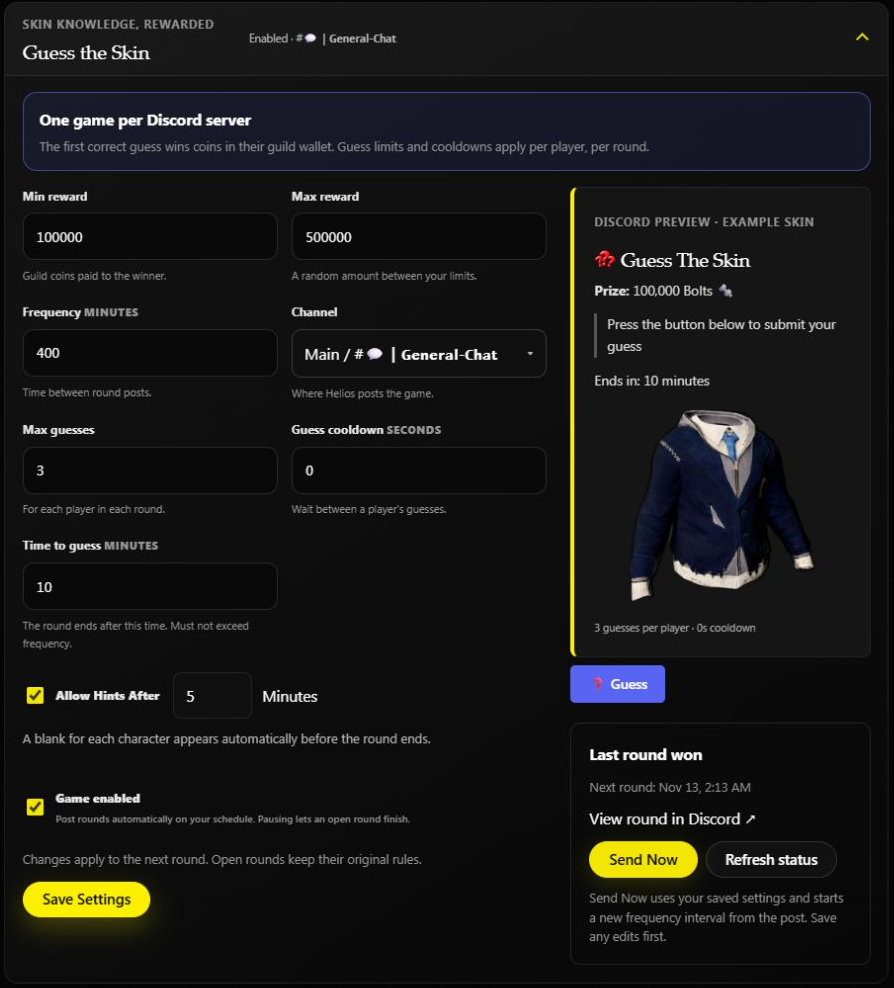
The dashboard preview uses an example skin. Open View round in Discord to see the actual post.
Start, pause, or change rounds
- First round: Select Send Now on the new game form before you choose Create Game to post immediately. Otherwise the first round waits for the frequency you chose.
- Existing game: Save any edits, then click Send Now when no round is open. The next interval starts from that post. If someone wins early, click Refresh status to update the dashboard.
- Pause: Turn off Game enabled and save. An open round can finish. Changes to prizes, timing, and guess limits apply to future rounds.
Play a round in Discord
- Find the Guess the Skin post. It shows the mystery skin, prize, time left, and guess limits.
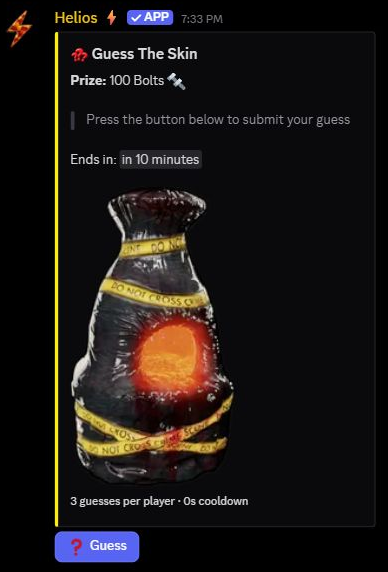
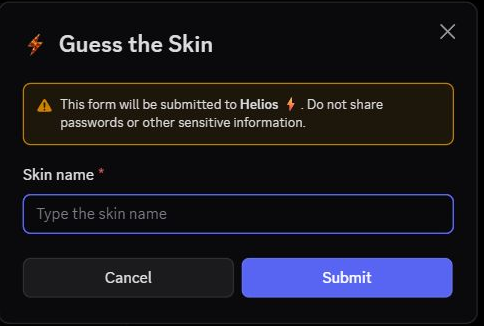
- Click Guess, enter the name in the private Skin name form, and choose Submit. Capitalization and extra spaces do not affect the answer. If you guess wrong, Helios tells you privately how many tries you have left.
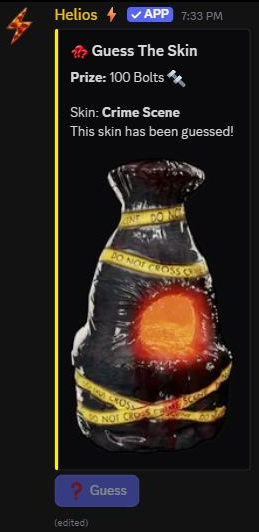
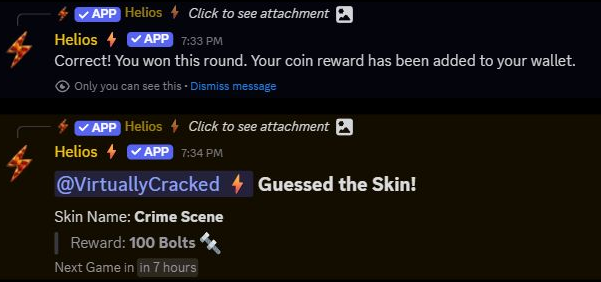
- The round closes when someone guesses correctly or time runs out. Helios edits the original post to reveal the name and disables Guess. In this test round, the answer was Crime Scene.
Check the Wallet payout
Helios credits the first correct player's Wallet automatically. There is no claim step. The winner gets a private confirmation, and Helios posts a reply naming the winner and prize. In this test round, the winner received 100 Bolts. Use /bank in the same Discord server to check your Wallet balance.
If a round does not appear
- Check Game enabled, the next round time, and the selected channel. Check that Helios can view and post in that channel.
- If Send Now is unavailable, check whether a round is still open. Click Refresh status before trying again.
- If the game is enabled and there is no open round, check the dashboard status and Premium access. If the old channel was deleted, select an available channel and save.
See Discord Tools for the other community tools.